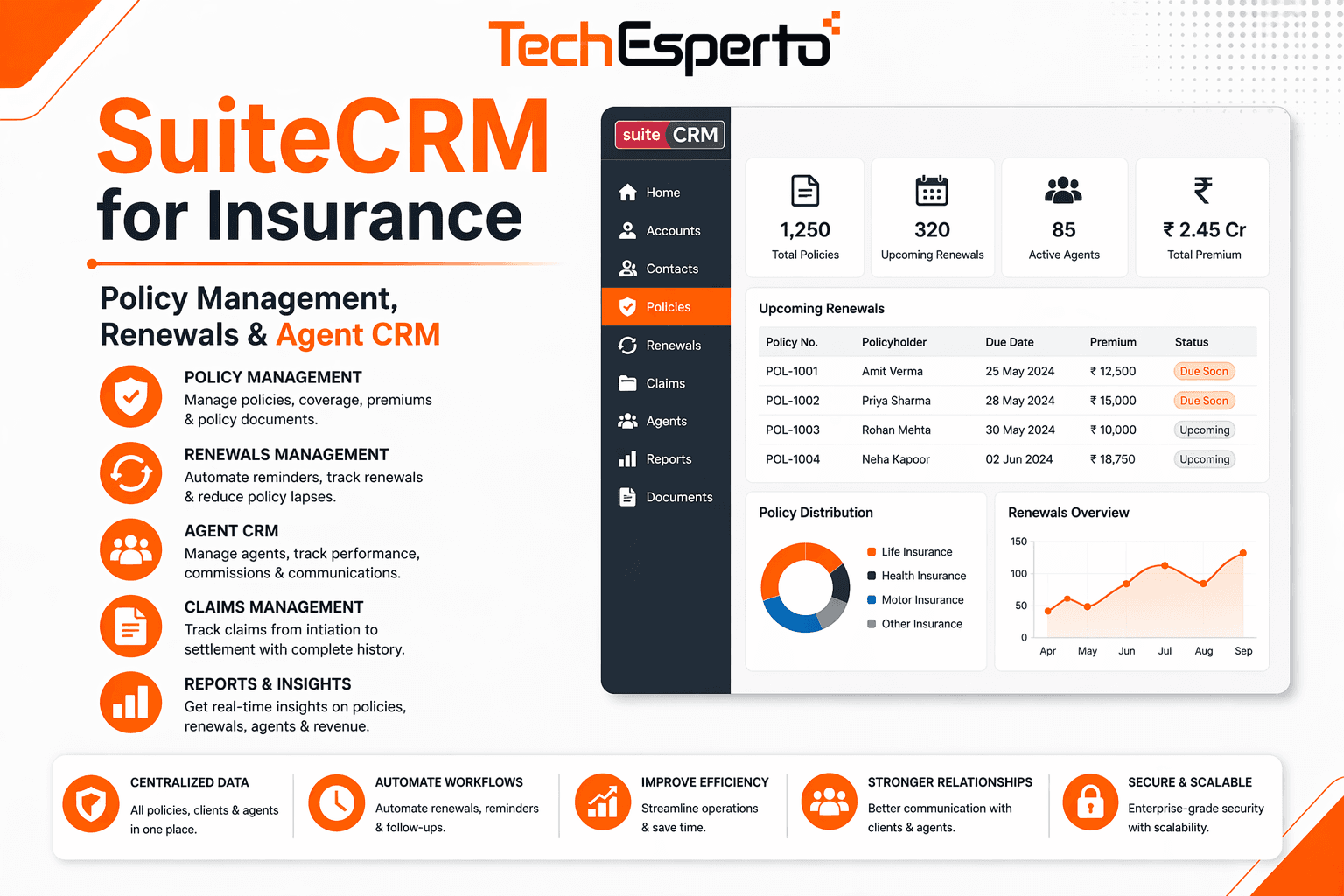
Insurance is a relationship-intensive, data-heavy business. Agents juggle hundreds of clients, each with multiple policies, renewal dates, coverage changes, and claims — all while prospecting for new business and maintaining compliance. A generic CRM can manage contacts, but it can’t track policies, automate renewal reminders, manage commissions, or maintain the client-policy-carrier relationships that insurance operations depend on.
Purpose-built insurance CRMs like AgencyBloc ($65+/user/month) and Applied Epic solve these problems but at costs that strain independent agencies and brokerages. SuiteCRM offers a dramatically different path: a free, open-source CRM that can be customized into a full insurance agency management platform — with policy tracking, renewal automation, claims management, and commission tracking — without per-user licensing fees.
Why Insurance Agencies Need More Than a Generic CRM
Insurance has unique data relationships that generic CRMs don’t understand. A single client (Contact) may have multiple policies (auto, home, life, umbrella). Each policy has a carrier, coverage details, premium, effective dates, and renewal dates. Policies generate claims, commission payments, and endorsement changes. And all of this must be tracked with compliance documentation and audit trails.
Without a specialized CRM, agencies manage policies in spreadsheets or carrier portals (requiring agents to log into multiple systems), miss renewal dates because there’s no centralized tracking, lose commission revenue because payments aren’t reconciled against expected amounts, lack visibility into cross-sell opportunities (a home insurance client without auto coverage), and scramble to find policy documents when a client calls with a question.
SuiteCRM eliminates all of these problems through custom modules designed specifically for insurance workflows.
Building an Insurance CRM with SuiteCRM
Client & Household Management
Insurance relationships are household-based, not individual-based. A family’s auto, home, and umbrella policies are often linked. Build enhanced Contact records with insurance-specific fields: household grouping (link family members), date of birth, driver’s license number (auto insurance), property addresses, preferred communication method, annual review date, and referral source.
Use SuiteCRM’s Accounts module for commercial clients — businesses with commercial property, liability, workers’ comp, and fleet policies. Link individual Contacts (business owners, HR managers, risk managers) to the company Account.
Policy Management Module
This is the core of an insurance CRM. Build a custom Policies module with these fields: policy number, carrier name (relate field to a Carriers module), line of business (auto, home, life, health, commercial, umbrella), coverage type and limits, premium amount (annual and monthly), effective date and expiration date, renewal date, payment method and frequency, status (Active, Pending, Expired, Cancelled, Lapsed), agent assigned, and sub-agent or producer code.
Relate each policy to the client Contact (or household Account). This creates a complete view of every client’s insurance portfolio — visible on the client’s record via a Policies subpanel. Agents see at a glance what coverage a client has, what’s missing (cross-sell opportunities), and what’s coming up for renewal.
Automated Renewal Management
Policy renewals are the lifeblood of agency revenue — and the most common thing to fall through the cracks. Build workflow automations that trigger at key intervals before each policy expiration: 90 days before expiry, create a renewal task assigned to the agent and send an internal alert. 60 days before, send the client a renewal reminder email or SMS with a review meeting scheduling link. 30 days before, escalate to the team lead if the renewal status hasn’t been updated. 7 days before, send a final reminder to the client with action required. On expiry day, update the policy status and create a follow-up task if renewal wasn’t completed.
This systematic approach prevents the reactive scramble of discovering expired policies after the fact. Dashboards show upcoming renewals by month, agent, carrier, and line of business — giving managers visibility into the renewal pipeline.
Claims Tracking
Use SuiteCRM’s Cases module (or a custom Claims module) to track insurance claims linked to the specific policy and client: claim number, date of loss, type of claim (auto accident, property damage, liability, health), carrier claim number, adjuster name and contact, claim status (Filed → Under Review → Approved → Settled → Denied → Closed), payout amount, and client communication log.
When a client calls about a claim, the agent has the complete picture without contacting the carrier first. Aggregate claims data by client, carrier, and claim type to identify patterns and inform risk management conversations.
Commission Management
Build a custom Commissions module to track expected vs received commission payments: policy linked, carrier, commission rate, expected amount, received amount, payment date, variance (expected minus received — flagging missed or short-paid commissions), and agent split (for agencies with sub-agents or producer hierarchies).
Workflows alert the accounting team when expected commissions aren’t received within a configurable timeframe. Reports show commission income by agent, carrier, line of business, and time period — essential for agent compensation and agency financial planning. For accounting reconciliation, integrate with QuickBooks or Xero.
Carrier Management
Create a Carriers module tracking every insurance carrier your agency works with: carrier name, underwriting contacts, claims contacts, appointment status (appointed, pending, terminated), commission schedules by line of business, portal login details, marketing rep contact, and contract terms.
Link carriers to policies so agents can quickly see which carrier covers which client and access carrier contacts when they need to escalate issues.
Lead & Prospect Pipeline
Configure SuiteCRM’s Leads module for insurance prospecting: lead source (referral, website, social media, purchased list, event), insurance needs (auto, home, life, commercial — multi-select), current carrier, current premium (for competitive quoting), household details, and pipeline stage (New → Contacted → Quoting → Proposal Sent → Bound → Lost).
Workflow automation ensures speed-to-lead response — when a website inquiry arrives, immediately assign to the appropriate agent, send an acknowledgment email, and create a follow-up call task due within 1 hour.
Document Management
Insurance generates enormous volumes of documents — applications, dec pages, endorsements, certificates of insurance, claims correspondence, and compliance records. Link documents to client records, policies, and claims. Use SuiteCRM’s Documents module or a custom module with organized folder structures by client and policy type.
Cross-Sell & Upsell Intelligence
One of the most powerful features of a well-configured insurance CRM is automated cross-sell identification. Build reports that identify clients with home insurance but no auto policy (and vice versa), clients with no umbrella/excess liability policy, clients with only personal lines (no commercial), policies with coverage limits below recommended thresholds, and clients approaching life events that trigger insurance needs (new home, new baby, retirement).
Workflows can automatically create cross-sell opportunity records and assign tasks to agents when these conditions are detected — turning passive data into active revenue opportunities.
Integration with Insurance Systems
SuiteCRM’s REST API connects to your insurance tech stack: carrier portals and comparative raters for quoting data, email and calendar for client communication logging, Twilio SMS/WhatsApp for renewal reminders and policy status updates, QuickBooks for commission reconciliation and agency accounting, document management systems for policy document storage, and e-signature platforms (DocuSign, HelloSign) for digital applications and endorsements.
SuiteCRM vs Insurance-Specific CRMs
Feature | SuiteCRM (Custom Insurance) | AgencyBloc | Applied Epic |
Licensing | $0 (unlimited users) | $65+/user/month | Custom pricing ($$$$) |
Annual Cost (15 agents) | ~$2,400 (hosting) | $11,700+ | $25,000+ |
Policy Management | Custom module (free) | Built-in | Built-in |
Renewal Automation | Custom workflows (free) | Built-in | Built-in |
Commission Tracking | Custom module (free) | Built-in | Built-in |
Custom Modules | Unlimited | None | Limited |
Data Ownership | Complete (self-hosted) | Vendor cloud | Vendor cloud |
Comparative Rating | Via integration | Via integration | Built-in |
For a 15-agent agency, SuiteCRM saves $9,000+/year vs AgencyBloc — and provides unlimited customization that purpose-built platforms can’t match. Read our SuiteCRM pricing guide.
Compliance & Data Security
Insurance agencies handle sensitive personal data — Social Security numbers, health information, financial records, and property details. SuiteCRM self-hosted gives you complete control over data storage and encryption, role-based access ensuring agents only see clients in their book, audit trails tracking every data access and modification, and document retention policies configurable to regulatory requirements. SuiteAssured adds enterprise-grade security certification for agencies with strict compliance requirements.
Mobile Access for Field Agents
Insurance agents spend significant time out of the office — meeting clients, attending networking events, and conducting property inspections. TechEsperto’s SuiteCRM Mobile App provides quick client and policy lookup on the go, contact details with click-to-call, policy document access from any location, note and photo capture during property visits, and real-time pipeline and renewal dashboard visibility.
Implementation
An insurance CRM deployment typically takes 8–12 weeks: core CRM setup, policy module, and carrier data migration (weeks 1–4), renewal workflow automation and commission tracking (weeks 5–7), integrations, dashboards, and document management (weeks 8–10), and training for agents, CSRs, and management (weeks 11–12).
As the Official SuiteCRM Professional Partner, TechEsperto builds CRM solutions for service-intensive industries including insurance.Contact us for a free insurance CRM consultation.