
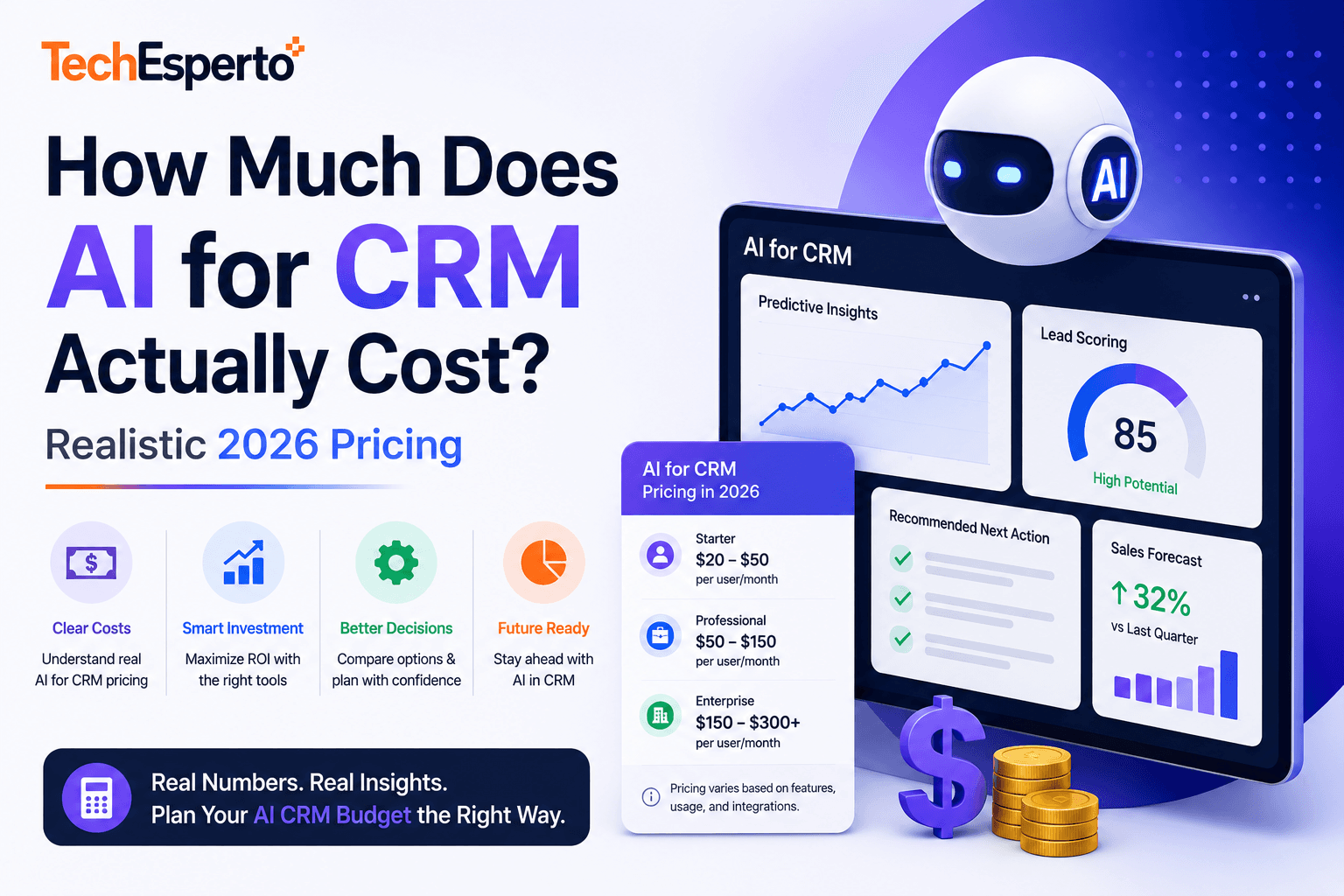
Buyers asking “how much does AI for CRM cost?” tend to get one of three answers, none of them useful.
Vendor sales reps give a price that anchors high and hides the add-ons. Generic blog posts give breathless ranges from “free” to “millions” without explaining what each tier delivers. Analyst reports give industry averages that don’t reflect the actual purchase your specific team would make.
This article gives you the real numbers. Drawn from ~80 AI-for-CRM scoping engagements over the past 18 months across teams ranging from 15 users to 800 users — what each path actually costs, what each tier delivers, and how to budget for your specific situation.
If you’ve already read our Complete Guide to AI for CRM in 2026, this is the deeper-dive cost companion piece. If you haven’t, the pillar guide covers the strategic framework; this article handles the pricing details.
The Three Cost Paths
Three fundamentally different ways to add AI to your CRM. Each has a different cost structure.
Path 1: AI Add-Ons in Enterprise CRM Platforms
What it is: Einstein AI on Salesforce, Copilot for Dynamics 365, HubSpot AI add-ons, Zoho Zia. The vendor sells you AI features that bolt onto their CRM platform.
Pricing structure: per-user/month, on top of base licensing.
Realistic 2026 prices (list, before negotiation):
| Vendor | Product | Price |
| Salesforce | Einstein for Sales | $50/user/month |
| Salesforce | Einstein for Service | $50/user/month |
| Salesforce | Einstein Conversation Insights | $50/user/month |
| Microsoft | Copilot for Sales | $50/user/month |
| Microsoft | Copilot for Service | $50/user/month |
| HubSpot | AI tools (varies by hub) | $30–$75/user/month |
| Zoho | Zia Premium | $20/user/month |
Realistic deployment math for a 50-user mid-market team adding Einstein for Sales:
- $50/user/month × 50 users × 12 months = $30,000/year in licensing alone
- Plus existing Salesforce base licensing ($165/user/month Enterprise Edition × 50 × 12 = $99,000/year)
- Plus implementation/configuration ($15,000–$40,000 one-time)
When this path makes sense:
- Very small teams (under 15 users) where total cost stays modest
- Teams already deeply locked into the platform with no realistic alternative
- Organizations that prioritize “single vendor” over cost efficiency
When it doesn’t:
- Teams above 30 users where per-user math compounds
- Teams that want specific AI capabilities not offered as standard SKUs
- Teams that view CRM as a strategic asset rather than a commodity tool
Path 2: Third-Party AI Tools That Integrate With Your CRM
What it is: specialized AI tools like Gong, Outreach AI, Clari, Drift, Apollo AI, Lavender, etc. Each handles a specific capability well, integrates with your existing CRM, and bills separately.
Pricing structure: per-user/month subscriptions, often with seat minimums.
Realistic 2026 prices (list, before negotiation):
| Tool | Capability | Price |
| Gong | Conversation intelligence | $100–$150/user/month |
| Outreach AI | Sales engagement AI | $60–$120/user/month |
| Clari | Pipeline AI / forecasting | $100–$200/user/month |
| Drift | Conversational AI / chatbot | $2,500–$10,000/month (volume-based) |
| Apollo AI | Prospecting AI | $59–$99/user/month |
| Lavender | Email writing AI | $29–$49/user/month |
Realistic deployment math for the same 50-user team using a typical stack (Gong for calls, Outreach AI for sequencing, Clari for forecasting):
- Gong: $125/user/month × 50 = $75,000/year
- Outreach AI: $90/user/month × 50 = $54,000/year
- Clari: $150/user/month × 50 = $90,000/year
- Combined: $219,000/year
Plus the underlying CRM licensing. Plus integration setup. Plus vendor management overhead.
When this path makes sense:
- You need specific specialized capabilities that generic CRM AI doesn’t provide
- The specific tools are best-in-class for your use case
- Budget tolerance is high relative to other operational costs
When it doesn’t:
- Budget-constrained teams (stacks add up fast)
- Teams that want unified architecture rather than vendor sprawl
- Teams where the same AI capabilities could be built more cheaply with deeper CRM integration
Path 3: Custom AI Built Into Your CRM
What it is: AI capabilities built directly into your CRM (typically on open-source platforms like SuiteCRM) using direct API access to AI providers like OpenAI, Anthropic, or Google.
Pricing structure: one-time build cost + usage-based AI provider costs.
Realistic 2026 cost structure for the same 50-user team:
Build cost (one-time):
- Single capability (e.g., lead scoring): $8,000–$25,000
- Two capabilities (lead scoring + email AI): $20,000–$50,000
- Three capabilities (above + chatbot): $35,000–$75,000
- Full suite (5–6 capabilities): $70,000–$150,000
Ongoing AI provider costs:
For a 50-user team running lead scoring + email AI + chatbot, monthly AI provider costs land around:
- OpenAI GPT-4o API: $400–$1,200/month based on call volume
- Anthropic Claude: $400–$1,200/month based on call volume (similar pricing)
- Embedding model costs (for semantic search/clustering): $50–$200/month
- Combined: $850–$2,600/month
Ongoing maintenance:
- Included in standard managed support arrangements ($3,500–$6,000/month for SuiteCRM with TechEsperto)
- Or roughly 0.25–0.5 FTE internally for teams managing in-house
Total 5-year cost for full AI suite on SuiteCRM (50-user team):
- Build (year 1 one-time): $90,000
- AI provider costs: $24,000/year × 5 = $120,000
- Managed support (allocated to AI portion): $30,000/year × 5 = $150,000
- Total 5-year cost: ~$360,000
Compare to Salesforce + Einstein equivalent over 5 years (~$1.2M+ for the same scope). For deeper Salesforce TCO context, use our free Salesforce Hidden Costs Calculator.
When this path makes sense:
- Teams above 30 users where per-user AI pricing compounds
- Teams with specific workflows generic AI doesn’t fit
- Organizations that want to own the AI capability long-term
- Teams that have or can hire engineering capability (internal or partner)
When it doesn’t:
- Very small teams (under 15 users) where build cost isn’t justified
- Organizations without engineering capability to build or maintain
- Use cases where best-in-class third-party tools clearly outperform custom builds
For our specific service approach, see AI for SuiteCRM and the broader AI Development service.
What Each Investment Tier Actually Buys You
Setting aside the path question, here’s what different total investment levels produce in terms of capability.
Tier 1: Starter ($10,000–$25,000 total year 1 investment)
One AI capability, well-built. Typical choice: lead scoring or email AI assistant or chatbot.
Realistic outcomes:
- Lead scoring: 15–25% improvement in lead-to-close conversion within 6 months
- Email AI: 30–40% reduction in time reps spend on email
- Chatbot: 30–60% increase in inbound form-fill conversion rate
Who this fits: teams of 15–50 users, first AI investment, want to validate ROI before expanding.
Tier 2: Mid-Tier ($30,000–$70,000 total year 1 investment)
Two to three AI capabilities working together. Typical mix: lead scoring + email AI + chatbot.
Realistic outcomes:
- Compound effects from capabilities working together
- Sales rep capacity increase of 20–30% measurable in pipeline velocity
- Marketing capacity increase of 25–35% measurable in campaign throughput
- Better attribution and routing across the funnel
Who this fits: teams of 50–150 users, AI is a strategic priority, want a coherent multi-capability deployment.
Tier 3: Full Suite ($70,000–$150,000+ total year 1 investment)
Four to six AI capabilities including more advanced workflows: lead scoring + email + chatbot + forecasting + workflow AI + (optionally) churn prediction.
Realistic outcomes:
- AI is a meaningful operational lever across most CRM workflows
- Forecast accuracy improvements from typical ±25–35% down to ±10–15%
- Cross-functional value (sales, marketing, customer success, ops all using AI capabilities)
- Foundation for layering more advanced AI in years 2–3
Who this fits: teams of 100+ users, AI is core strategic infrastructure, willing to invest in cornerstone deployment.
What Drives Cost Up
Five factors that meaningfully increase AI for CRM cost.
Factor 1: Volume of records and transactions.
AI provider costs scale with API calls. A team scoring 500 leads/month costs dramatically less than a team scoring 50,000 leads/month. For high-volume use cases (e-commerce, consumer FinTech, large B2C operations), monthly AI provider costs can climb significantly. Worth modeling explicitly during scoping.
Factor 2: Real-time vs. batch processing.
Real-time AI (scoring leads as they arrive, drafting emails as reps compose) costs more than batch AI (scoring leads overnight, generating weekly forecast updates). Real-time has better UX but higher cost. Most deployments can mix — real-time for high-value interactions, batch for routine work.
Factor 3: Custom training vs. base models.
Most AI for CRM uses base models (GPT-4o, Claude Sonnet) with carefully crafted prompts and your data context. Fine-tuning custom models for specific use cases costs significantly more (typically $25,000–$100,000+ in training plus higher per-call costs) and rarely produces meaningfully better results for CRM applications.
Factor 4: Compliance frameworks.
HIPAA-aligned AI deployments cost more than standard deployments because of architectural requirements (BAA with AI provider, restricted data flow, audit logging, infrastructure isolation). Add roughly 20–30% to build cost for HIPAA-aligned deployments. SOC 2 alignment adds less but still meaningful overhead.
Factor 5: Integration depth.
AI that lives in a separate tool and requires data syncing costs more operationally than AI integrated natively into the CRM. Vendor stack approaches typically incur ongoing integration maintenance costs that custom builds don’t have.
What Keeps Cost Down
Five factors that keep AI for CRM cost manageable.
Factor 1: Sequencing.
Build one capability well before adding more. Most teams that try to deploy 4–5 AI capabilities simultaneously end up with mediocre versions of all of them. Sequential deployment is cheaper and produces better results.
Factor 2: Using base models, not custom training.
Modern base models (GPT-4o, Claude Sonnet 4.5) handle most CRM AI use cases well. Fine-tuning custom models is rarely justified for typical CRM applications.
Factor 3: Smart caching.
Repeated AI calls for similar contexts can be cached. A well-designed system caches embeddings, common AI responses, and frequently-accessed scoring results. Can reduce AI provider costs by 30–50% in high-volume deployments.
Factor 4: Provider abstraction.
Building AI integration with provider abstraction lets you switch between OpenAI, Anthropic, and other providers as pricing or capability changes. The vendor that’s cheapest today may not be cheapest in 18 months.
Factor 5: Open-source CRM platforms.
Eliminating per-user CRM licensing meaningfully changes AI investment economics. The same AI capability deployed on SuiteCRM costs less to run than on Salesforce because you’re not also paying per-user Salesforce licensing. For broader context, see SuiteCRM vs Salesforce and our SuiteCRM Cost Savings analysis.
What’s NOT Included in Most AI for CRM Quotes
Hidden costs that surprise teams after they sign.
Data preparation.
AI models perform poorly on messy data. Most AI builds need 15–25% of project effort allocated to data cleanup before model training. Vendors that quote AI projects without explicit data preparation scope are setting up the engagement to underdeliver.
Change management and training.
AI capabilities only deliver value when reps actually use them. Change management — getting reps to trust scores, training managers to coach with AI insights, adjusting workflows — is real work. Budget 15–25% of project cost for this, or expect adoption to underperform.
Ongoing tuning.
AI models drift. Customer behavior shifts. New product launches change what “good lead” looks like. Models that were 90% accurate in month 3 can be 70% accurate by month 18 without monitoring. Budget for quarterly model review and semi-annual retraining.
Compliance review.
In regulated industries, AI decisions need governance frameworks — explainability requirements, decision audit trails, model risk management. Legal and compliance review takes time and money. Often underestimated in initial scoping.
Failure handling.
AI providers occasionally fail or return unexpected results. Production AI deployments need error handling, fallback paths, and human review escalation. Building this correctly takes engineering effort that thin quotes often skip.
Realistic Budget Recommendations by Team Size
If you want a quick benchmark for what to budget, here’s the rough framework we use during scoping conversations.
| Team Size | Realistic AI Investment (Year 1) | What This Buys |
| 10–25 users | $10K–$25K | 1 capability (lead scoring OR email AI OR chatbot) |
| 25–75 users | $25K–$60K | 2–3 capabilities, multi-purpose deployment |
| 75–200 users | $60K–$120K | 4–5 capabilities, cross-functional deployment |
| 200+ users | $120K–$300K+ | Full suite plus advanced capabilities (forecasting, churn prediction) |
These ranges assume custom builds on open-source CRM platforms. Equivalent capability on enterprise CRM platforms with AI add-ons (Salesforce + Einstein, Dynamics + Copilot) typically costs 2–4x more over 5 years for the same functional outcomes.
For broader pricing context across the full CRM service catalog, see our pricing page and the SuiteCRM Pricing Complete Guide.
How to Get a Realistic Quote for Your Situation
Most AI for CRM quotes are wrong because the scoping conversation is wrong. Three questions to answer before any vendor can give you a realistic number:
Question 1: What’s the specific business outcome you’re trying to drive?
“Add AI to our CRM” isn’t a scoping question. “Improve lead-to-close conversion by 20%” or “reduce customer success ticket volume by 30%” or “cut sales rep email time in half” are scoping questions. The specific outcome determines which capabilities to build and what they should optimize for.
Question 2: What’s your current data depth and quality?
AI needs data to learn from. 12+ months of clean historical data is the typical minimum. Vendors that don’t ask about your data state during scoping are setting up a project that will underdeliver.
Question 3: What’s your readiness for change management?
The technical build is 40% of the work. Change management — getting reps to actually use the AI, adjusting workflows, retraining — is the other 60%. Vendors that don’t scope this honestly are quoting only part of the project.
A free 30-minute CRM strategy call covers these questions and produces a realistic budget framework for your specific situation. No pitch, no commitment.
Is AI for CRM cheaper now than it was in 2024?
Significantly. OpenAI’s GPT-4o is roughly 5x cheaper per token than GPT-4 was in 2023. Anthropic’s Claude pricing has fallen similarly. The model behind most AI-for-CRM deployments is now affordable for mid-market budgets in a way it wasn’t 24 months ago. Build costs for custom AI have remained roughly flat, but ongoing provider costs are dramatically lower.
Why is enterprise CRM AI so much more expensive than custom builds?
Because it’s priced per-user, while the underlying technology scales with usage. The vendor’s actual cost to serve Einstein doesn’t scale linearly with seat count — it scales with API calls. Per-user pricing is convenient billing, not cost-reflective pricing. The math gets ugly fast for larger teams.
What’s the cheapest legitimate AI for CRM option?
For very small teams (under 15 users), the included AI in HubSpot or Zoho is often adequate and effectively free relative to base licensing. For teams above that scale, custom-built AI on an open-source CRM is typically the cheapest serious option.
Are AI provider costs going to keep falling?
Probably yes, though not at the same pace. Token costs have fallen 60–80% from 2023 levels. Further declines likely but smaller. Provider abstraction (building so you can switch providers easily) hedges against any single provider raising prices.
Can we start small and expand?
Yes, and this is usually the right approach. Build one capability, prove the ROI, then expand. Most teams that try to deploy multiple AI capabilities simultaneously end up with mediocre versions of all of them. Sequential deployment is cheaper, lower-risk, and produces better results.
What if we already have Salesforce — do we have to use Einstein?
No. You can build custom AI on top of Salesforce using direct OpenAI/Anthropic API integration, just like you would on any other CRM. The economics are less favorable than on open-source CRMs (because you’re still paying Salesforce per-user licensing) but the AI portion itself can be cheaper than Einstein.
Do we need to hire AI engineers?
Usually not. Most CRM AI use cases are well-understood patterns; you don’t need bespoke ML research. You do need someone who understands your business well enough to define what “good” looks like — but that’s typically your RevOps lead or sales operations manager, not a data scientist. Working with an experienced implementation partner handles the technical execution.
What’s the realistic timeline from kickoff to AI capability in production?
For a single capability: 4–8 weeks. For multi-capability deployments: 12–16 weeks. The bottleneck is usually data preparation and integration, not model training.
How do we get started?
Three steps in order:
- Read the Complete Guide to AI for CRM in 2026 to understand the strategic framework
- Download the free SuiteCRM Implementation Checklist if you’re planning broader CRM work
- Book a free 30-minute strategy call to scope your specific situation
For broader context, see AI for SuiteCRM service, AI Development service, AI Lead Scoring Guide, AI Chatbots for CRM, and AI in CRM ROI analysis.
Frequently Asked Questions
Significantly. OpenAI’s GPT-4o is roughly 5x cheaper per token than GPT-4 was in 2023. Anthropic’s Claude pricing has fallen similarly. The model behind most AI-for-CRM deployments is now affordable for mid-market budgets in a way it wasn’t 24 months ago. Build costs for custom AI have remained roughly flat, but ongoing provider costs are dramatically lower.
Because it’s priced per-user, while the underlying technology scales with usage. The vendor’s actual cost to serve Einstein doesn’t scale linearly with seat count — it scales with API calls. Per-user pricing is convenient billing, not cost-reflective pricing. The math gets ugly fast for larger teams.
For very small teams (under 15 users), the included AI in HubSpot or Zoho is often adequate and effectively free relative to base licensing. For teams above that scale, custom-built AI on an open-source CRM is typically the cheapest serious option.
Probably yes, though not at the same pace. Token costs have fallen 60–80% from 2023 levels. Further declines likely but smaller. Provider abstraction (building so you can switch providers easily) hedges against any single provider raising prices.
Yes, and this is usually the right approach. Build one capability, prove the ROI, then expand. Most teams that try to deploy multiple AI capabilities simultaneously end up with mediocre versions of all of them. Sequential deployment is cheaper, lower-risk, and produces better results.
No. You can build custom AI on top of Salesforce using direct OpenAI/Anthropic API integration, just like you would on any other CRM. The economics are less favorable than on open-source CRMs (because you’re still paying Salesforce per-user licensing) but the AI portion itself can be cheaper than Einstein.
Usually not. Most CRM AI use cases are well-understood patterns; you don’t need bespoke ML research. You do need someone who understands your business well enough to define what “good” looks like — but that’s typically your RevOps lead or sales operations manager, not a data scientist. Working with an experienced implementation partner handles the technical execution.
For a single capability: 4–8 weeks. For multi-capability deployments: 12–16 weeks. The bottleneck is usually data preparation and integration, not model training.
Three steps in order:
For broader context, see AI for SuiteCRM service, AI Development service, AI Lead Scoring Guide, AI Chatbots for CRM, and AI in CRM ROI analysis.


