
Your Salesforce contract renews in 90 days. The auto-renewal language buried in the original MSA means the contract rolls forward with a list price increase unless you give notice. The renewal quote arrived this morning. It’s 12% higher than last year, the seat count has crept up since the initial deal, and the add-ons your CFO asked about (Einstein AI, additional CPQ licenses, an upgrade to Unlimited Edition for the executive team) push the proposed annual cost past $300,000.
This is the moment buyers come to us. Not when the Salesforce relationship is bad. When the math stops working.
The 90-day window before renewal is the only window where you have leverage. After renewal, you’re locked in for another 12 months at whatever terms you signed. The decision you make in the next 90 days affects your CRM costs for the next 1–5 years.
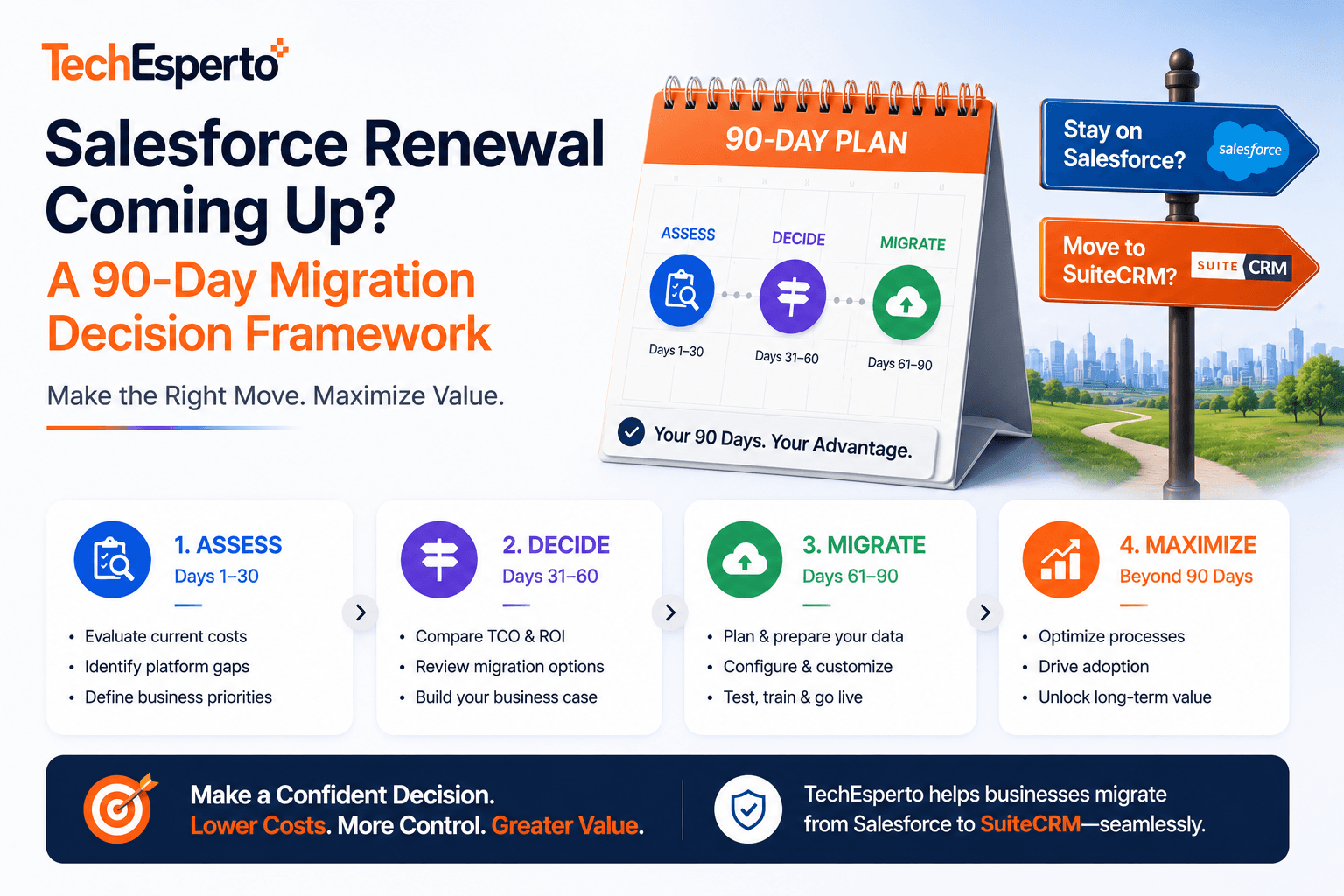
This article walks through a week-by-week framework for evaluating your three real options — renew as proposed, renegotiate, or migrate — and making a decision your CFO, CTO, and revenue leadership can all defend. Based on ~80 Salesforce migration engagements across 150+ deployments.
The Three Real Options (and What Each Actually Costs)
Most teams approach renewal as a binary: renew or don’t. There are actually three options, and the middle one is often where the answer lives.
Option 1: Renew as Proposed
What it looks like: sign the renewal quote, absorb the list price increase, add the proposed expansions, move on.
True cost: whatever Salesforce quoted, plus the implicit cost of renewal compression every year going forward. Salesforce list price increases have averaged 6–9% annually over the past five years. The deal you sign this year sets the floor for next year.
When this makes sense: you’re below 25 users, the Salesforce relationship is genuinely high-value for your specific business, switching costs (data, integrations, training) materially exceed lifetime savings from alternatives.
When it doesn’t: anywhere else.
Option 2: Renegotiate Aggressively
What it looks like: respond to the renewal quote with a counter-position. Threaten to leave. Demand discount restoration. Reduce seat count by deactivating dormant users. Drop Einstein or CPQ or Service Cloud licenses that aren’t being used. Refuse the auto-renewal terms in the MSA.
True cost: substantial discount recovery — often 15–30% off the quoted renewal. But this only works if Salesforce believes you’ll actually leave. The leverage decays quickly if you go through the negotiation theater without genuine alternatives ready.
When this makes sense: you have real reasons to stay (Salesforce-native integrations, organizational risk tolerance, sunk training investment) but want to optimize cost.
When it doesn’t: when the underlying economics are broken (per-user pricing escalating faster than revenue), renegotiation gets you a year of relief and the same problem 12 months later.
Option 3: Migrate to SuiteCRM (or Another Alternative)
What it looks like: commit to migration in the next 90 days. Use the renewal deadline as the forcing function. Begin discovery immediately, contract with a migration partner, plan production cutover before renewal hits.
True cost: $25,000–$80,000 for typical mid-market migration scope, plus managed services around $5,000–$7,000/month ongoing. For most teams above 50 users, the math saves $100K–$500K in year one alone. For broader cost analysis see our SuiteCRM Cost Savings blog and the Salesforce Hidden Costs breakdown.
When this makes sense: licensing has crossed the threshold where alternatives meaningfully change the unit economics. Usually around 30+ users on Enterprise Edition, or any team using significant add-ons (CPQ, Service Cloud, Einstein).
When it doesn’t: very small teams where the migration economics don’t justify the operational disruption, or teams with deep Salesforce-specific integration dependencies that don’t have non-Salesforce equivalents.
The 90-Day Decision Framework
Weeks 1–2: Quantify the Decision
Before talking to anyone (vendor, consultant, board), get your own numbers clean. The work below typically takes 5–8 hours of CFO and CRM owner time, and produces the financial picture you need for every subsequent conversation.
Pull your true Salesforce cost.
Most CFOs underestimate Salesforce TCO by 50–60% because they only count base licensing. The full picture includes:
- Sales Cloud licensing (base)
- CPQ licensing (if applicable)
- Service Cloud licensing (if applicable)
- Sales Engagement / Inbox add-ons
- Einstein AI (if applicable)
- Third-party ecosystem (Conga, Skuid, DocGen, Cirrus Insight, etc.)
- Implementation and customization (allocated annually if multi-year)
- Internal admin headcount (typically 0.5–2 FTE depending on team size)
- Integration maintenance
Our free Salesforce Hidden Costs Calculator automates this — plug in your inputs and the model produces your true 5-year TCO. About 5 minutes of work.
Project the trajectory.
Three numbers matter:
- Year-over-year team growth rate (more users = more licensing on Salesforce, no impact on SuiteCRM)
- Year-over-year Salesforce list price escalation (use 8% as a reasonable default)
- Add-on adoption trajectory (are you planning to expand Einstein, CPQ, Service Cloud over the next 2–3 years?)
A growing team on Salesforce often sees 30–50% TCO growth over a 3-year window. Modeling this explicitly tends to clarify the decision quickly.
Document the alternative cost.
For SuiteCRM with managed services:
- Implementation cost: $25,000–$80,000 one-time
- Managed hosting: $1,200–$3,000/month
- Managed support: $3,500–$6,000/month depending on complexity
- AWS/Azure pass-through: $800–$1,500/month
Multiply over 5 years, add the implementation, that’s your alternative TCO. The calculator does this automatically.
Weeks 3–4: Validate the Migration Path
You now have rough financials. Before committing, validate that the migration is actually feasible for your specific situation.
Audit your Salesforce customization depth.
Open Salesforce Setup and count:
- Custom objects in active use
- Custom fields across standard objects (with data, referenced in workflows or reports)
- Active Process Builder flows, Workflow Rules, and Flows
- Apex triggers and classes (if any)
- Integrations via API (note: not Salesforce-native integrations, which carry differently)
This count is your migration scope. Larger customization footprint means longer migration timeline and higher cost. Most mid-market deployments land in the 4–8 week range. Heavy customization can push to 12+ weeks.
Identify the integration dependencies.
For each system that currently integrates with Salesforce, ask: does this integration exist for non-Salesforce CRMs?
- Outreach, Gong, Clari, ZoomInfo, Slack, DocuSign, Stripe, Intercom, HubSpot Marketing, your data warehouse — virtually all have non-Salesforce integration paths.
- Custom-built proprietary integrations require rebuilding for the new platform.
- Salesforce AppExchange-native tools require finding equivalent solutions.
The integration count multiplied by per-integration complexity is the second-largest driver of migration cost after data migration itself. See our SuiteCRM Integration service and CRM Integration Guide for migration patterns.
Check compliance and audit requirements.
If you’re in a regulated industry (healthcare, financial services, insurance), confirm that the migration target supports the same compliance posture as your current Salesforce setup. SuiteCRM-with-managed-support supports SOC 2 Type II, HIPAA, GLBA, PCI, and most state-level frameworks. Confirm the specifics for your situation. Real-world compliance-architected deployments are detailed in our healthcare case study and FinTech case study.
Weeks 5–6: Get Two Migration Vendor Proposals
Two vendor proposals is the minimum for credible decision-making. One proposal is a quote; two is a comparison.
What to demand from each vendor:
- Fixed-price scope with explicit deliverables per phase (avoid open-ended T&M unless you have specific reasons to prefer it)
- Timeline including discovery, build, test migration to staging, training, production cutover, and post-launch stabilization
- Test migration approach — minimum 2 test passes to staging before production cutover (3 is better)
- Integration scope clearly defined with critical-before-launch vs. phased rebuild lists
- Compliance attestations for your regulatory frameworks (BAA for HIPAA, SOC 2 audit support, etc.)
- Post-launch support included for at least 30 days, with a clear path to ongoing managed services
- References from similar migrations (industry, scale, complexity)
- Verifiable Professional Partner status — check the official SuiteCRM partner directory at suitecrm.com/partners
For the broader vendor evaluation framework, see How to Choose a SuiteCRM Partner.
Weeks 7–8: Make the Decision
You now have:
- Your true Salesforce TCO and 5-year trajectory
- Realistic alternative TCO from two vendor proposals
- Customization depth and integration count for migration scope
- Compliance and audit confirmation
- Two vendor references contacted
The decision framework:
Decision criterion 1: Is the 5-year cost difference meaningful?
If alternative path saves less than $100K over 5 years, the operational disruption probably isn’t worth it. Renegotiate Salesforce instead.
If alternative path saves $200K–$1M over 5 years, migration economics favor switching unless there are specific blocking factors.
If alternative path saves $1M+ over 5 years (common above 75 users on Enterprise Edition with add-ons), migration is almost always the right answer.
Decision criterion 2: Are there blocking factors that survive due diligence?
Real blocking factors:
- Salesforce-only integrations with no equivalent (rare in 2026)
- Compliance frameworks the alternative can’t support (also rare with managed SuiteCRM)
- Imminent IPO timeline where operational risk tolerance is near zero
- Pending M&A where CRM platform decisions need to wait
Not blocking factors (despite being commonly cited):
- “We’ve been on Salesforce a long time” (sunk cost)
- “Our team knows Salesforce” (training is part of any migration; SuiteCRM has lower learning curve)
- “Salesforce is the safe choice” (safer for whom?)
- “Migrations are risky” (yes, and so is paying $500K/year forever)
Decision criterion 3: Is the team ready to execute?
Migration requires real internal time commitment. Project sponsor (typically CRO or COO), CRM owner (typically RevOps lead), IT lead, and probably a finance contact need 3–8 hours/week for the duration of the migration project. If your team is at capacity, the right answer might be migration in 6 months rather than 90 days.
Weeks 9–13: Execute or Renegotiate
If decision is migrate:
- Contract with chosen vendor by week 9
- Phase 1 discovery completes by week 11
- Production migration target before Salesforce renewal date
- Give Salesforce notice of non-renewal per MSA terms
- See our Salesforce → SuiteCRM Migration service for the methodology
- See the SaaS migration case study for what an 8-week execution actually looks like
If decision is renegotiate:
- Open formal renegotiation with Salesforce account team
- Present your TCO analysis and alternative options as leverage
- Target 15–30% discount on the proposed renewal
- Drop unused licenses and add-ons
- Confirm renewal terms in writing before signing
If decision is renew as proposed:
- Sign with the awareness that you’ll face the same decision next year, likely worse
- Document the decision rationale for next year’s evaluation
- Plan the conditions under which migration would become the answer
What Most Teams Get Wrong in This Window
Three patterns we see repeatedly.
Pattern 1: Starting too late.
A team realizes the renewal economics are unsustainable, but starts evaluation 45 days before renewal. The compressed timeline forces a renewal-then-evaluate sequence, locking in another year of Salesforce. Then the same compression happens next year. Then the year after.
The fix: start the 90-day framework at least 120 days before renewal. The framework needs 13 weeks; you need a 4-week buffer for slippage.
Pattern 2: Treating evaluation as binary.
Teams frame the decision as “stay on Salesforce or leave” rather than “stay as-is, renegotiate, or migrate.” The renegotiation option often produces 60–80% of the savings of migration with 10% of the operational risk. It’s not the right answer for every team, but it should be on the table.
Pattern 3: Underweighting the timing leverage.
The 90-day window before renewal is the only time Salesforce treats you as a customer who might leave. Two months after renewal, you’re a captive account for the next 10 months. If you have any leverage to use, this is the moment to use it.
How to Get Started
If you’re inside the 90-day window now, the highest-leverage thing you can do this week is download the Salesforce Hidden Costs Calculator and get your true TCO number. About 5 minutes of work, produces the financial picture every subsequent conversation depends on.
If your TCO comes in higher than expected (which it usually does), book a free 30-minute strategy call. We’ll walk through your specific situation, validate the calculator’s numbers against your actual contract, and give you a candid view of whether migration makes sense. No pitch, no commitment.
For broader context on the path: see our SuiteCRM vs Salesforce comparison, the Salesforce → SuiteCRM Migration service, and the Migrate Salesforce to SuiteCRM Guide for 2026.
What if I’m already past the 90-day mark?
Depends on your MSA. Many Salesforce contracts have 30-day notice requirements rather than 90, in which case you may still have time. Pull your MSA and look for the notice period clause. If you’re truly inside the renewal lock window, the move is to start the framework now for next year — the work you do over the next 12 months sets up a credible alternative when the renewal conversation reopens.
Can we actually migrate in 90 days?
For most mid-market deployments, yes. Typical Salesforce → SuiteCRM migrations run 6–10 weeks from kickoff to stable production. The framework above plans for evaluation in weeks 1–8 and execution in weeks 9–13. Heavier deployments (complex Apex, many custom integrations, regulated industries with specific architecture requirements) may need longer.
What about Salesforce’s “we’ll match any competitor” pricing argument?
Salesforce will absolutely offer significant discounts when you have credible alternatives ready. That’s the value of the renegotiation option. But the structural problem doesn’t change: per-user pricing scales with headcount, list prices escalate annually, and the bundle of required add-ons keeps growing. A discount on this year’s renewal doesn’t fix the trajectory.
Will we lose data during migration?
Not if the migration is done correctly. Modern Salesforce → SuiteCRM migration approaches include 2–3 test passes to staging before production cutover, with validation reports comparing record counts and sample field-level accuracy. Across the migrations we’ve delivered following this discipline, zero have had data loss incidents. See the SaaS case study for the specific methodology.
What happens to our custom Salesforce automations?
They get rebuilt in SuiteCRM. Most rebuild cleanly; some become simpler than the originals because Salesforce automation often accumulates complexity over years. Phase 1 of migration includes auditing every automation and classifying by business criticality. Critical automations get rebuilt deliberately. Non-critical ones often get deprecated.
Will our SOC 2 audit be affected?
A well-architected migration can maintain SOC 2 posture without disruption. Our FinTech case study details a migration that passed the first post-migration SOC 2 Type II audit with zero CRM-related findings. The key is treating SOC 2 as architectural commitment from Phase 1, not a post-launch concern.
What about Einstein AI? We rely on it.
Equivalent AI capabilities can be built on SuiteCRM at substantially lower cost. See our AI for SuiteCRM service and the Complete Guide to AI for CRM in 2026. For most teams, Einstein’s $50/user/month list price is replaced by direct AI provider costs (OpenAI or Anthropic) of $200–$2,000/month total, regardless of team size.
What if we decide not to migrate this year?
That’s a legitimate outcome. The framework forces a deliberate decision either way. If you decide to renew, you do so with eyes open, having documented your alternative cost and the conditions under which migration becomes the right answer. Most teams that go through this framework but stay end up migrating in years 2 or 3 as the economics worsen — but the evaluation work compounds. Year 2’s decision is faster because Year 1’s analysis is already done.
How do we get started this week?
Three steps in order:
- Download the Salesforce Hidden Costs Calculator and run your numbers (about 5 minutes)
- Pull your Salesforce MSA and confirm the renewal notice deadline (about 10 minutes)
- If the calculator shows meaningful savings opportunity, book a free 30-minute strategy call to validate against your specific situation
For broader vendor evaluation, see How to Choose a SuiteCRM Partner, the Ultimate CRM Buying Guide for 2026, and our pricing page.
Frequently Asked Questions
Depends on your MSA. Many Salesforce contracts have 30-day notice requirements rather than 90, in which case you may still have time. Pull your MSA and look for the notice period clause. If you’re truly inside the renewal lock window, the move is to start the framework now for next year — the work you do over the next 12 months sets up a credible alternative when the renewal conversation reopens.
For most mid-market deployments, yes. Typical Salesforce → SuiteCRM migrations run 6–10 weeks from kickoff to stable production. The framework above plans for evaluation in weeks 1–8 and execution in weeks 9–13. Heavier deployments (complex Apex, many custom integrations, regulated industries with specific architecture requirements) may need longer.
Salesforce will absolutely offer significant discounts when you have credible alternatives ready. That’s the value of the renegotiation option. But the structural problem doesn’t change: per-user pricing scales with headcount, list prices escalate annually, and the bundle of required add-ons keeps growing. A discount on this year’s renewal doesn’t fix the trajectory.
Not if the migration is done correctly. Modern Salesforce → SuiteCRM migration approaches include 2–3 test passes to staging before production cutover, with validation reports comparing record counts and sample field-level accuracy. Across the migrations we’ve delivered following this discipline, zero have had data loss incidents. See the SaaS case study for the specific methodology.
They get rebuilt in SuiteCRM. Most rebuild cleanly; some become simpler than the originals because Salesforce automation often accumulates complexity over years. Phase 1 of migration includes auditing every automation and classifying by business criticality. Critical automations get rebuilt deliberately. Non-critical ones often get deprecated.
A well-architected migration can maintain SOC 2 posture without disruption. Our FinTech case study details a migration that passed the first post-migration SOC 2 Type II audit with zero CRM-related findings. The key is treating SOC 2 as architectural commitment from Phase 1, not a post-launch concern.
What about Einstein AI? We rely on it.
Equivalent AI capabilities can be built on SuiteCRM at substantially lower cost. See our AI for SuiteCRM service and the Complete Guide to AI for CRM in 2026. For most teams, Einstein’s $50/user/month list price is replaced by direct AI provider costs (OpenAI or Anthropic) of $200–$2,000/month total, regardless of team size.
That’s a legitimate outcome. The framework forces a deliberate decision either way. If you decide to renew, you do so with eyes open, having documented your alternative cost and the conditions under which migration becomes the right answer. Most teams that go through this framework but stay end up migrating in years 2 or 3 as the economics worsen — but the evaluation work compounds. Year 2’s decision is faster because Year 1’s analysis is already done.
Three steps in order:
For broader vendor evaluation, see How to Choose a SuiteCRM Partner, the Ultimate CRM Buying Guide for 2026, and our pricing page.


