
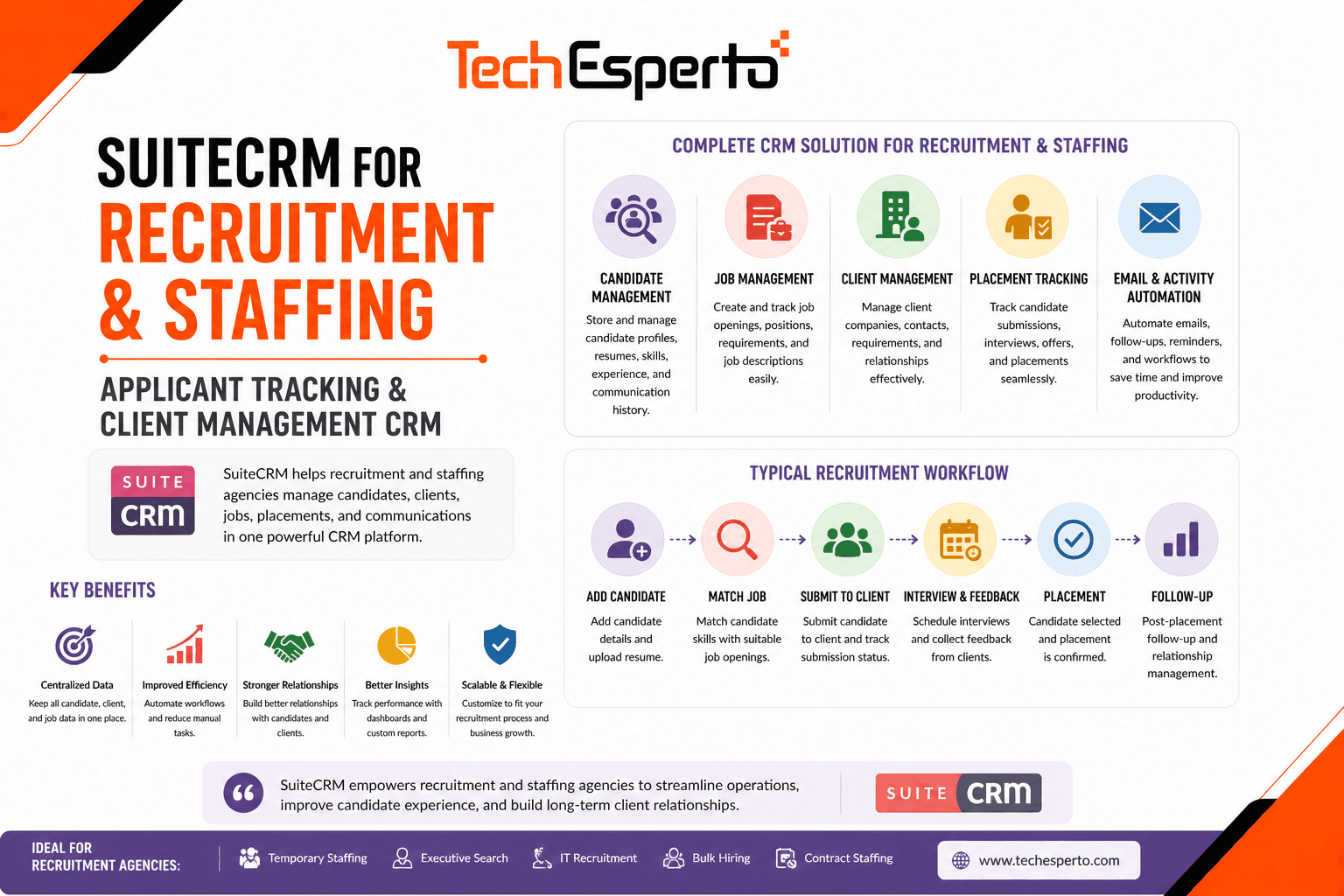
Recruitment agencies juggle two pipelines simultaneously — candidates looking for jobs and clients looking for talent. Most generic CRMs handle one side well but not both. Purpose-built recruitment platforms like Bullhorn ($99–$199/user/month) and JobAdder address this but at costs that crush margins for small and mid-sized agencies.
SuiteCRM provides a free, open-source foundation that can be customized into a full recruitment CRM — managing candidates, clients, job orders, placements, and commissions — without per-user licensing fees that scale with every recruiter you hire.
Why Recruitment Needs a Specialized CRM
Recruitment operates on relationships across three dimensions: candidates (talent pool), clients (hiring companies), and job orders (open positions). A recruiter needs to match the right candidate to the right job at the right client — tracking skills, availability, salary expectations, interview stages, and feedback across all three simultaneously.
Generic CRMs track contacts and deals. Recruitment CRMs track candidates, jobs, submissions, interviews, placements, and commissions. Without this structure, agencies manage candidates in spreadsheets, lose track of submissions, miss follow-ups with clients, and can’t report on key metrics like time-to-fill and placement rate.
Building a Recruitment CRM with SuiteCRM
Candidate Management
Build a custom Candidates module (or adapt the Contacts module) with recruitment-specific fields: current job title and employer, skills and certifications (multi-select or tags), years of experience, desired role type (permanent, contract, temp), salary expectations (current and desired), availability date and notice period, location and relocation willingness, resume/CV attachment, work authorization status, and source (job board, referral, LinkedIn, website, walk-in).
Each candidate record maintains a complete history — every submission to a client, every interview, every piece of feedback, and every placement. When a new job order comes in, recruiters search the candidate database by skills, location, and availability to find matches instantly.
Client & Company Management
Use SuiteCRM’s Accounts module for client companies with additional fields: industry, company size, hiring volume, payment terms (Net 30, Net 45, Net 60), contract type (contingency, retained, RPO), fee percentage or flat fee, key contacts (hiring managers, HR, procurement), preferred communication method, and client status (active, dormant, prospect).
Link multiple Contacts to each Account — the hiring manager for engineering roles, the HR director for bulk hiring, and the procurement contact for contract negotiations. Track every interaction, meeting, and agreement in the Account’s activity history.
Job Order Pipeline
This is the core module that connects candidates to clients. Build a custom Job Orders module with: job title and description, client Account (relate field), hiring manager Contact, number of positions, job type (permanent, contract, temp-to-perm), salary/bill rate range, required skills and experience, location (on-site, remote, hybrid), urgency and priority level, and status pipeline.
Configure the pipeline with recruitment-specific stages: New → Sourcing → Candidates Submitted → Interviews Scheduled → Interviews Completed → Offer Stage → Placement Made → Filled → Cancelled. Workflow automation triggers actions at each stage — when a job moves to “Sourcing,” create tasks for assigned recruiters to identify 5 candidates within 48 hours.
Submission & Interview Tracking
Build a Submissions module linking candidates to job orders. Each submission tracks: candidate name, job order, submission date, client feedback, interview dates and rounds (phone screen, 1st round, 2nd round, final), interview feedback from client, status (Submitted → Shortlisted → Interview → Offered → Placed → Rejected), and rejection reason (for reporting and process improvement).
This gives recruiters a clear view of where every candidate stands for every job — and gives managers visibility into team activity and pipeline health.
Placement & Commission Tracking
When a candidate is placed, create a Placement record linking candidate, job order, client, and financial details: start date, salary or bill rate, fee percentage or flat fee, estimated commission revenue, actual commission received, payment status (invoiced, paid, overdue), and guarantee period and status.
Workflows automate the placement process: when a submission status changes to “Placed,” automatically create an Invoice, notify the billing team, schedule a guarantee-period check-in call, and add the candidate to the “Placed Candidates” target list for future relationship nurturing.
Candidate Sourcing & Talent Pool
Recruiters spend 40% of their time sourcing candidates. SuiteCRM helps by maintaining a searchable talent pool — every candidate who’s ever been registered, whether placed or not. Custom reports identify candidates by skill, location, availability, and recency. When a new job order arrives, recruiters search the existing pool before spending time and money on job board advertising.
Web-to-Lead forms on your agency website capture candidate registrations directly into SuiteCRM with resume upload. Job board integrations (via REST API or middleware) import applicants from Indeed, LinkedIn, and other platforms automatically.
Automating the Recruitment Lifecycle
New Job Order → Recruiter Assignment
Client submits a job order (via portal, email, or phone) → SuiteCRM creates a Job Order record → workflow assigns to the recruiter specializing in that skill area or industry → recruiter receives notification with job details → automatic talent pool search runs and suggests matching candidates.
Candidate Submission → Client Follow-Up
Recruiter submits candidate to job order → client receives submission email with candidate profile → workflow creates a follow-up task for 48 hours if no client response → escalation to account manager at 72 hours.
Interview → Feedback Collection
Interview scheduled → candidate and client receive confirmation via email or SMS → post-interview workflow triggers feedback request to client within 24 hours → feedback logged in submission record → recruiter notified of outcome.
Placement → Onboarding → Guarantee Check
Placement confirmed → invoice generated → candidate receives welcome/onboarding information → 30-day check-in task created → 60-day check-in → guarantee-period end review. These touchpoints ensure placement success and protect your fee.
Recruitment Dashboards & KPIs
Build custom dashboards tracking the metrics that matter:
For Recruiters: Active job orders assigned, candidates submitted this week, interviews scheduled, placements month-to-date, and personal pipeline value.
For Managers: Team submission volume, time-to-fill by job type, placement rate (placements ÷ job orders), revenue per recruiter, and client satisfaction scores.
For Agency Owners: Total revenue and commission, client concentration (revenue by client), candidate source ROI (cost per placement by source), gross margin by placement type, and outstanding invoices / aged receivables.
SuiteCRM vs Recruitment CRMs
| Feature | SuiteCRM (Custom) | Bullhorn | JobAdder |
| Licensing | $0 (unlimited users) | $99–$199/user/month | $100+/user/month |
| Annual Cost (10 recruiters) | ~$2,400 (hosting) | $11,880–$23,880 | $12,000+ |
| Candidate Management | Custom module (free) | Built-in | Built-in |
| Job Order Tracking | Custom module (free) | Built-in | Built-in |
| Placement Tracking | Custom module (free) | Built-in | Built-in |
| Job Board Integration | Via API/middleware | Native | Native |
| Custom Modules | Unlimited | None | None |
| Data Ownership | Complete | Vendor cloud | Vendor cloud |
A 10-recruiter agency saves $9,000–$21,000/year vs Bullhorn. Over 3 years, that’s $27,000–$63,000 — enough to fund a fully customized SuiteCRM deployment and still come out ahead.
Integrations for Recruitment
SuiteCRM’s REST API connects to your recruitment tech stack: job boards (Indeed, LinkedIn, Monster) for candidate import, email and calendar for interview scheduling and communication logging, background check services for automated screening triggers, accounting software for invoice and commission tracking, SMS/WhatsApp for candidate communication and interview reminders, and your agency website for candidate registration and job listings.
Mobile Access for Recruiters
Recruiters work on the go — at client meetings, networking events, and candidate interviews. TechEsperto’s SuiteCRM Mobile App provides quick candidate and client lookup, call logging after phone screens, submission status updates from anywhere, and job order pipeline visibility.
Implementation
A recruitment CRM deployment takes 10–14 weeks: core CRM setup, candidate and client data migration (weeks 1–3), job order, submission, and placement modules (weeks 4–7), workflow automation and integrations (weeks 8–10), dashboards, reporting, and training (weeks 11–14).
As the Official SuiteCRM Professional Partner, TechEsperto builds CRM solutions for service businesses.Contact usfor a free recruitment CRM consultation.


