
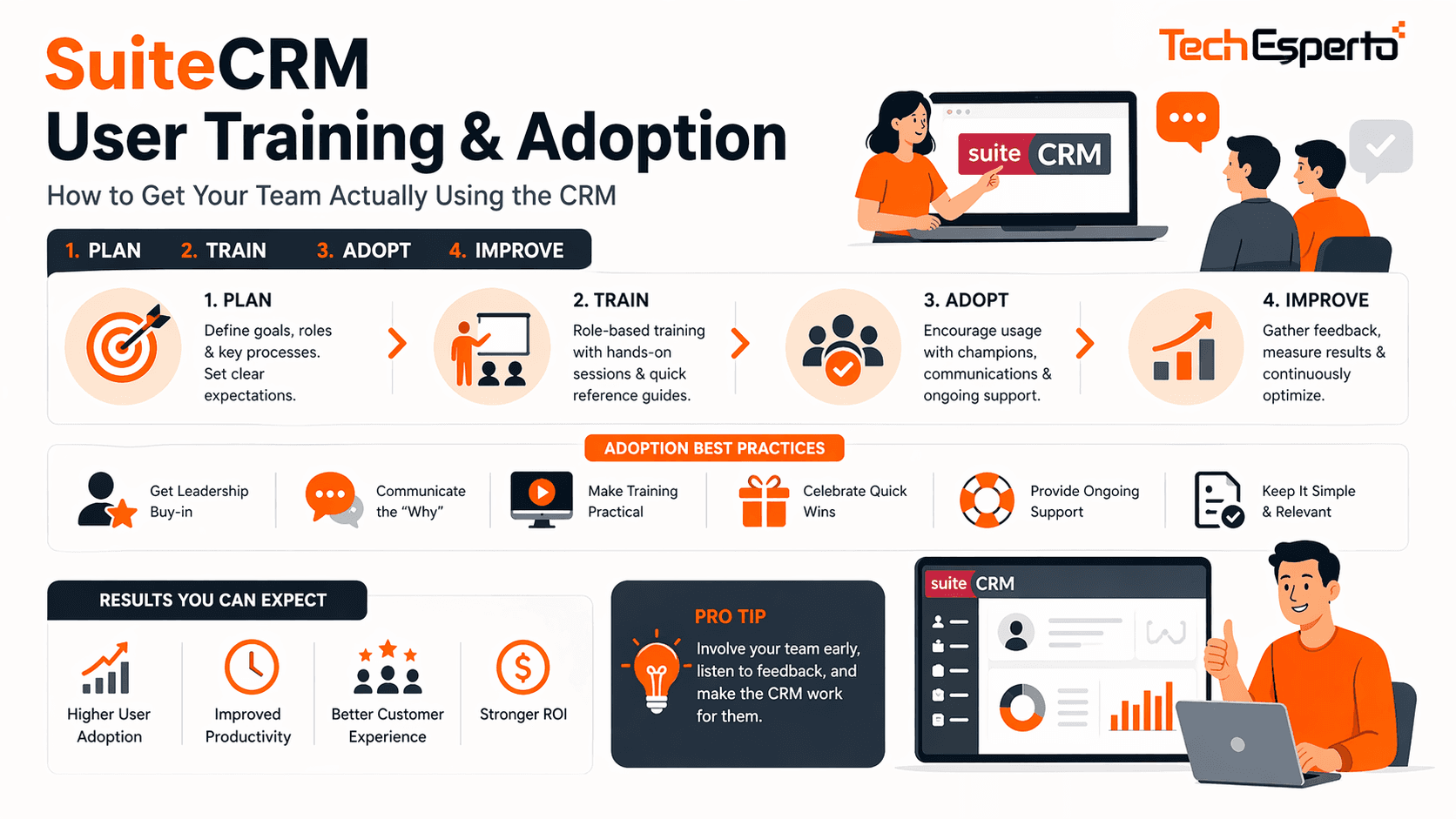
The most powerful CRM in the world is worthless if your team doesn’t use it. Research consistently shows that CRM implementation failure is driven by poor user adoption far more than by platform limitations. You can build the perfect custom modules, configure flawless workflows, and design brilliant dashboards — but if your sales reps still track deals in spreadsheets and your support team still manages cases via email, your CRM investment returns nothing.
This guide covers how to train your team on SuiteCRM effectively, overcome resistance, and build habits that make the CRM an indispensable part of daily operations.
Why CRM Adoption Fails
Before fixing adoption, understand why it breaks. The same patterns repeat across organizations:
Too much, too fast. Teams are shown every module, every feature, and every button in a single training marathon. They leave overwhelmed, remembering nothing, and revert to whatever they were doing before.
No role relevance. A sales rep doesn’t need to know how to configure Security Groups. A support agent doesn’t need a demo of campaign management. Generic training that covers everything for everyone teaches nothing useful to anyone.
No immediate value. If the CRM feels like extra work — “now I have to enter this data in the CRM AND my spreadsheet” — users abandon it. The CRM must replace existing work, not add to it.
Poor data quality on day one. If users open the CRM and see incomplete, duplicate, or obviously wrong data, they lose trust in the system immediately. First impressions matter. See our data import guide for getting data right before training begins.
No management enforcement. If leadership doesn’t use the CRM for pipeline reviews, performance tracking, and decision-making, the team gets the message that the CRM is optional. Adoption starts at the top.
The Role-Based Training Framework
The single most effective training approach is role-based: teach each user only what they need for their specific job function. This reduces overwhelm, increases relevance, and accelerates time-to-productivity.
Sales Representatives
What they need to know: Creating and updating Leads and Contacts. Managing their personal pipeline (Opportunities module) — creating deals, updating stages, adding notes. Logging calls and meetings linked to contacts. Sending emails from CRM records. Using the mobile app for field access. Finding information quickly — search, filters, list views. Running their personal activity reports.
What they DON’T need: System administration, module configuration, workflow creation, campaign setup, or advanced reporting. These create cognitive overload without providing daily value.
Training time: 2–3 hours over 2 sessions. Session 1 covers contacts, leads, and pipeline management. Session 2 covers communication logging, search, and mobile access.
Sales Managers
Everything sales reps learn, plus: pipeline dashboards — team pipeline value, conversion rates, stage velocity. Team activity reports — calls made, meetings held, deals progressed. Forecast reports. Lead assignment and distribution. How to run pipeline review meetings using CRM data.
Training time: 3–4 hours. Build on the sales rep foundation with management-specific reporting and analysis.
Customer Support Agents
Creating and managing Cases — logging issues, updating status, linking to accounts. Using the Knowledge Base to find solutions. Email templates for common responses. Escalation procedures within the CRM. Case history review on contact records. Using the Customer Portal (if configured).
Training time: 2–3 hours focused entirely on the Cases module and support workflows.
Marketing Team
Campaign creation — target lists, email templates, scheduling. Web-to-Lead form management. Lead nurture workflow monitoring. Campaign performance reporting — open rates, click rates, conversions. Lead source analytics.
Training time: 3–4 hours focused on Campaigns module and marketing-specific reporting.
System Administrators
Studio customization — fields, layouts, dropdowns, relationships. Workflow creation and management. User management and Security Groups. Scheduler monitoring and maintenance. Report building and dashboard configuration. Backup verification and system health monitoring. Basic troubleshooting — clearing cache, Quick Repair, log review.
Training time: 6–8 hours across multiple sessions. Admin training is the most intensive because they maintain the system for everyone else.
The 30-Day Adoption Plan
Don’t launch the CRM and hope people use it. Structure the first 30 days deliberately:
Pre-Launch (Week Before Go-Live)
Clean and import all data so the CRM has accurate, complete records on day one. Configure personal dashboards for each role so users see relevant information when they log in. Create quick-reference cards (one-page PDF per role) covering the 5 most common daily tasks. Send a “what’s coming” email from leadership explaining WHY the CRM matters and how it benefits each team member.
Week 1: Core Functions Only
Conduct role-based training sessions (2–3 hours per role). Focus ONLY on the 3–5 tasks each role performs daily. Assign a CRM champion per team — a peer who’s enthusiastic and can help colleagues in real-time. Managers begin using CRM data in daily standups — “show me your pipeline in SuiteCRM.”
Week 2: Reinforce and Expand
One-on-one check-ins with users struggling. Answer questions in context — “how do I do X?” rather than re-training from scratch. Introduce secondary features (search techniques, list view customization, bulk updates). Share early wins — “the team logged 200 calls this week” or “we identified 5 stale deals that need attention.”
Week 3: Automation Benefits
Show users the workflows working for them — automated follow-up reminders, lead assignments, email notifications. This is when users start seeing the CRM as a tool that helps them rather than extra work. Introduce reporting — show each rep how to view their own performance metrics.
Week 4: Optimization and Feedback
Collect user feedback — what’s working, what’s frustrating, what’s missing. Make quick adjustments based on real usage patterns (reorder fields, add missing dropdowns, adjust layouts). Recognize and reward CRM usage — top data quality, most activities logged, best pipeline management. Establish ongoing cadence — weekly CRM tips, monthly training refreshers.
Overcoming Common Resistance
“I don’t have time for this”
The CRM must save time, not add it. Show concrete examples: “logging a call takes 30 seconds in CRM vs writing it on a sticky note that gets lost.” Eliminate duplicate data entry — if information goes in the CRM, it shouldn’t also go in a spreadsheet. Automate everything possible so the CRM does work for users, not the other way around.
“My spreadsheet works fine”
Spreadsheets don’t share data across the team, don’t trigger automated follow-ups, don’t generate real-time reports, and leave the company when the user leaves. Frame the CRM as the team’s shared memory — not a replacement for personal organization, but the system of record everyone trusts.
“The CRM is too complicated”
This usually means the user was shown too much too fast. Re-train with role-specific focus. Simplify their view — hide modules they don’t use (Admin → Display Modules and Subpanels). Customize their dashboard to show only relevant data. If the interface itself is the issue, a SuiteCRM theme can modernize the visual experience.
“The data is wrong”
Data quality issues destroy trust faster than anything else. Address immediately. Run a data cleanup sprint — fix the most visible errors first (wrong phone numbers, duplicate contacts, missing accounts). Establish data ownership — each rep is responsible for the accuracy of their assigned records. Set up validation rules using custom field requirements and dropdown lists to prevent future bad data entry.
“Management doesn’t use it”
This is the adoption killer. If managers run pipeline reviews from spreadsheets instead of CRM dashboards, the team learns that the CRM is optional. The fix is top-down: every pipeline review, forecast meeting, and performance discussion uses CRM data exclusively. No CRM data, no credit for the activity.
Measuring Adoption Success
Track these metrics to assess whether adoption is working:
Login frequency. Are users logging in daily? Weekly logins suggest the CRM isn’t part of the daily workflow.
Record creation rate. Are new contacts, activities, and opportunities being created at expected volumes? A drop indicates users are tracking data elsewhere.
Data completeness. What percentage of required fields are populated? Low completeness means users are doing minimum-effort data entry.
Activity logging. Are calls, meetings, and emails being recorded? This is the best indicator of whether users are actually working in the CRM.
Report usage. Are managers pulling reports and dashboards? If management isn’t consuming CRM data, the rest of the team won’t produce it.
Build a custom dashboard showing these adoption metrics for your CRM administrator to monitor weekly.
Training Delivery Options
Live Training (Recommended)
Interactive sessions — either in-person or via video call — where users learn by doing with their actual CRM data. Questions are answered in real-time. This is the most effective training method.
Recorded Video Tutorials
Screen recordings showing step-by-step processes for each role. Users rewatch when they forget how to do something. Create a library of 2–5 minute “how-to” videos for the most common tasks.
Quick-Reference Cards
One-page PDFs per role covering the 5 most common daily tasks with screenshots. Pin to the wall next to monitors or save as desktop shortcuts. These serve as ongoing reminders, not initial training.
Office Hours / Drop-In Support
Schedule weekly 30-minute “CRM Office Hours” where users can ask questions, get help with specific tasks, or request customizations. This ongoing support prevents frustration from building.
TechEsperto Training Services
As the Official SuiteCRM Professional Partner, TechEsperto provides role-based live training sessions (remote or on-site), custom training materials and video libraries, administrator training for in-house CRM management, ongoing support and coaching through our support packages, and adoption monitoring with quarterly optimization reviews.
Our SuiteCRM training is tailored to your specific CRM configuration — not generic SuiteCRM demos, but training on YOUR modules, YOUR workflows, and YOUR data.Contact us for a training plan consultation.


