
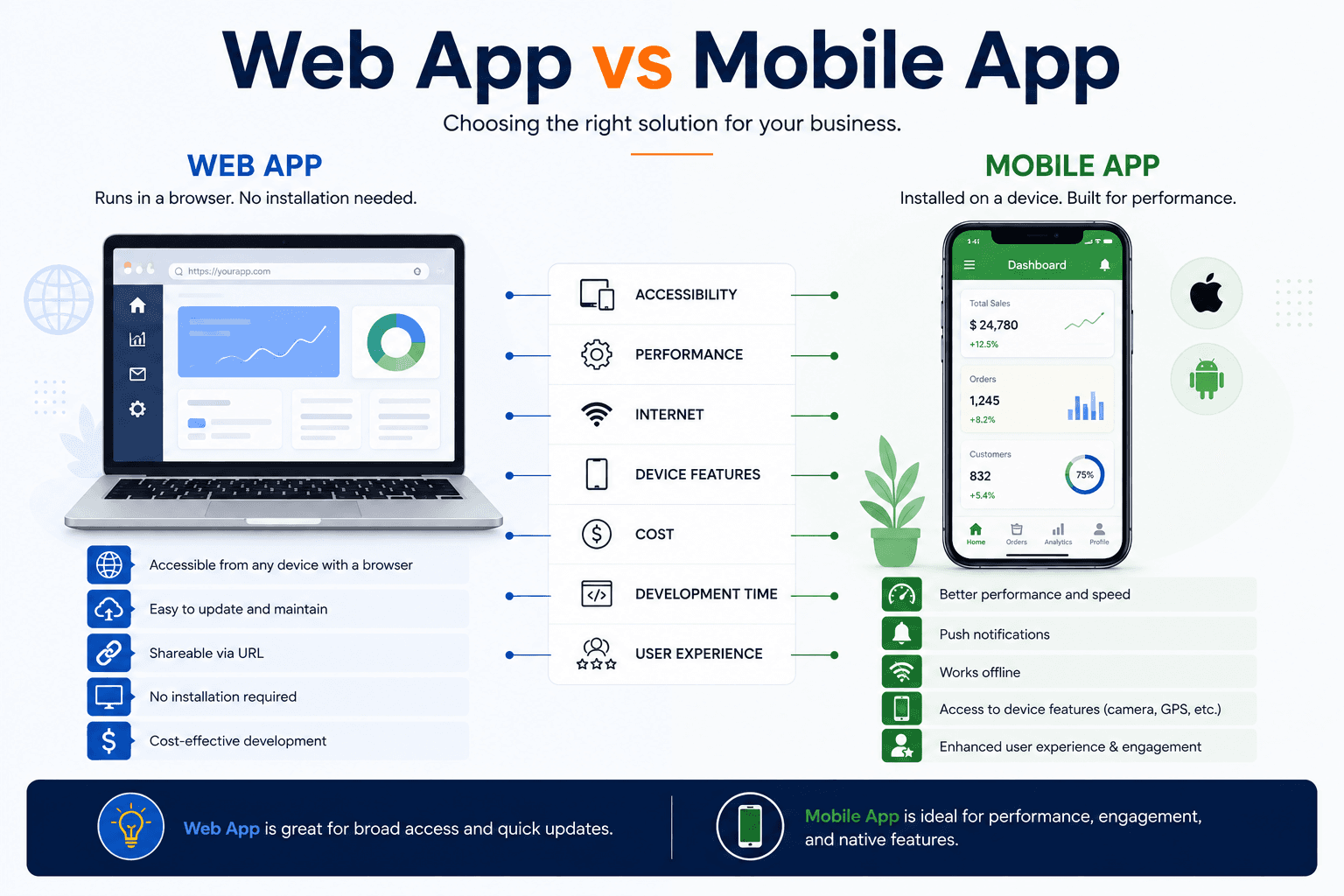
The web app vs mobile app decision is usually framed as a technology question when it is really a distribution and usage question. A web application reaches anyone with a browser and updates instantly. A mobile app reaches people through their home screen, uses device capabilities properly, and works offline. Which suits you depends on how often people will use the product, what device features it needs, and how they will find it. This guide compares both honestly and covers which to build first.
Comparing Reach, Capability, and Cost
Each option is stronger on different dimensions, and no single comparison decides the matter. Web wins on reach, update speed, and initial cost. Mobile wins on device capability, offline behaviour, performance, and re-engagement. The relevant question is which of these your product actually depends on. Many products succeed entirely on the web, and many others fail as web applications because their usage pattern demanded the presence and capability that only an installed app provides.
Reach and Access Friction
A web application opens from a link with no installation step, which suits occasional and first-time use. Installation is friction, and friction is fatal for products people use rarely.
Device Capability Access
Camera, sensors, biometrics, and background processing are considerably more capable in a native app. Browsers have improved but remain constrained, particularly on iOS.
Offline and Unreliable Connectivity
Apps handle absent connectivity far better, storing data locally and reconciling later. Where usage happens in transit or in poor coverage, this frequently decides the question.
Update and Release Speed
Web changes reach everyone immediately. Mobile updates require store review and user adoption, meaning older versions remain in use for a considerable period.
Initial and Ongoing Cost
One web application costs less than two native builds. Shared-codebase cross-platform app development narrows that gap where mobile is genuinely required.
Matching the Choice to Usage Patterns
Frequency of use is the most reliable predictor of which option succeeds. Products used daily benefit enormously from home screen presence, notifications, and instant launch, all of which favour an app. Products used monthly or occasionally struggle to justify installation, and asking users to install something they will rarely open produces high abandonment. Mapping your expected usage pattern honestly, rather than optimistically, resolves most cases quickly.
Daily and Habitual Use Favours Apps
Home screen presence and notifications sustain habits. Products intended to become routine benefit substantially from being installed rather than bookmarked.
Occasional Use Favours Web
Requiring installation for something used a few times a year produces abandonment. Booking, comparison, and one-off transaction products generally perform better on the web.
Task Length and Context
Long, complex tasks on large screens suit web. Short, frequent interactions in transit suit mobile, and matching this to your actual use case matters more than platform preference.
Discovery and Distribution Route
Search-led discovery favours web, since browsers reach content directly. Store discovery and referral favour apps, and your acquisition strategy should inform the choice.
Business and Internal Tools
Complex administrative interfaces generally belong in web application development, with a focused mobile companion for the subset of tasks people perform away from a desk.
Considering Progressive Web Apps as a Middle Path
Progressive web apps sit between the two, delivering web reach with some app-like characteristics including home screen installation, offline capability, and in some cases notifications. They genuinely close part of the gap, particularly for content and transaction products. They do not close all of it, since platform support remains uneven and device capability access still lags native. Understanding where the remaining gaps sit prevents choosing this path for a product that will eventually need what it cannot provide.
What a PWA Delivers
Installation to home screen, offline caching, and faster repeat visits without store distribution. For many content and commerce products this is sufficient.
Where Support Remains Uneven
Notification and background capability differ meaningfully across platforms. Verify support for the specific features you depend on rather than assuming parity.
Distribution Without Store Review
No store approval means immediate updates and no revenue share, though it also means no store discovery, which is a real acquisition channel for some categories.
Assessing the Fit Honestly
Reviewing the PWA versus native trade-offs against your specific requirements prevents choosing a middle path that satisfies neither need.
Building on Established Foundations
Modern frameworks support this pattern well, and PWA development reuses most of a web codebase rather than requiring separate work.
Sequencing When You Need Both
Many products eventually need both surfaces, but building simultaneously doubles cost and halves learning, since you validate nothing twice as fast. Sequencing lets the first surface prove the proposition and inform the second. Which comes first depends on where your initial users are and what the core experience requires. The shared foundation matters more than the order, since a well-designed API lets the second surface arrive far more cheaply than the first.
Starting Where Your Users Already Are
Build first for the context where early users will actually encounter you. Reaching them where they are beats reaching them where you would prefer them to be.
Building an API-First Foundation
A well-designed service layer serves both surfaces. Investing in API development early makes the second surface substantially cheaper than the first.
Validating on One Surface First
Prove the proposition before duplicating it. Building both simultaneously means discovering the same problems twice at twice the cost.
Avoiding Feature Parity as a Goal
Each surface should do what it does well rather than mirroring the other. Forcing identical functionality wastes effort on features nobody uses in that context.
Planning Shared Design Foundations
A common design system keeps both surfaces coherent while respecting platform conventions, which reduces long-term maintenance across the pair.
Frequently Asked Questions
Should I build a web app or mobile app first?
Usually whichever matches your expected usage frequency and reaches your earliest users. Daily-use products favour mobile for home screen presence, while occasional-use products favour web because installation friction causes abandonment for anything used rarely.
Can a web app do everything a mobile app can?
Not quite. Browsers have improved considerably, but device capability access, background processing, and offline behaviour remain stronger in native apps, particularly on iOS. Verify support for the specific capabilities your product depends on.
Is a progressive web app a good compromise?
Often, for content and transaction products. It delivers home screen installation and offline capability without store distribution. It remains weaker on device capability and notification support, so confirm the gaps do not affect your core experience.
Do I need both a web app and a mobile app?
Many products eventually do, but rarely at launch. Building both simultaneously doubles cost while halving learning. Sequencing them, on a shared API foundation, makes the second surface considerably cheaper than the first.
Which is cheaper to build?
A single web application costs less than two native builds, and it also updates instantly without store review. Cross-platform frameworks narrow the difference where mobile is genuinely required by your usage pattern.
How does discovery differ between them?
Web content is reachable through search directly, which suits search-led acquisition. Apps are discovered through stores and referral. Your acquisition strategy should inform the platform choice rather than being decided afterwards.


