
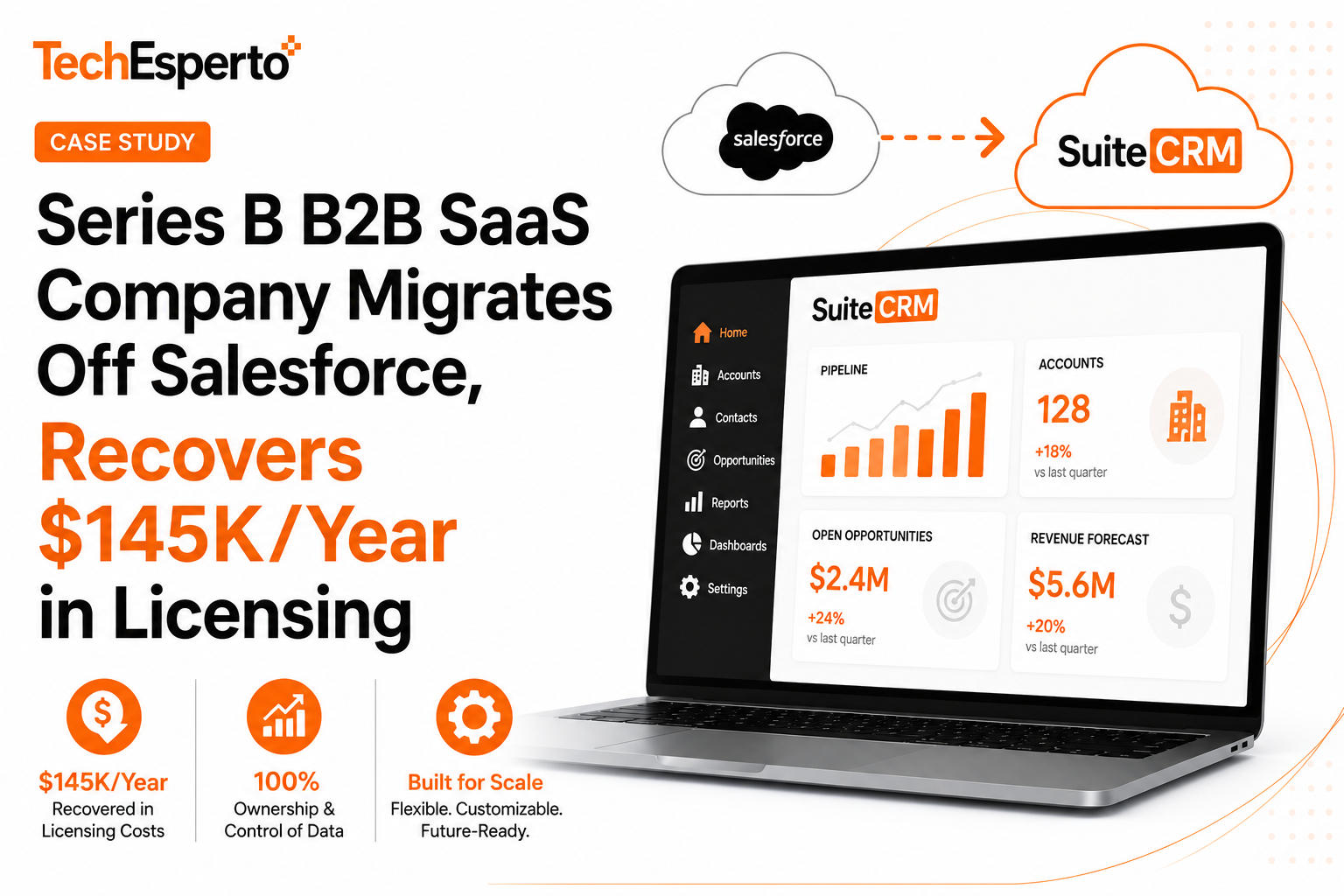
Industry: B2B SaaS — workflow automation product for mid-market Scale: 60-person commercial team (sales, marketing, customer success, support), ~$18M ARR at engagement Region: Headquartered in North America, customers in 30+ countries Engagement type: Salesforce → SuiteCRM Migration with custom workflow rebuild, ongoing Managed Support Investment: $35,000 migration + $4,500/month managed services Timeline: 8 weeks migration + 4 weeks stabilization Status: Live for 14 months, scaled to 85-person commercial team without licensing cost increase
The client is a Series B B2B SaaS company selling a workflow automation product to mid-market customers (typically 200-2,000 employees). At the time of engagement, the company had raised approximately $40M in funding, was operating at roughly $18M ARR, and had a commercial organization of 60 people across sales, marketing, customer success, and support — all working from Salesforce Enterprise Edition.
The team had been on Salesforce for four years. The original implementation was done by a regional Salesforce consultancy. Over time, the deployment had accumulated significant customization — custom objects for the company’s specific product taxonomy, complex Flow automation, integrations with their data stack (Snowflake, Segment, Looker), and a custom-built customer health scoring layer.
The business was healthy, growing, and the CRM was functional. What changed was the math.
For broader SaaS CRM context, see our SaaS CRM solutions.
The decision to migrate off Salesforce came from a converging set of pressures:
At 60 commercial users on Salesforce Enterprise Edition ($165/user/month), the company was paying approximately $118,800/year in base licensing. Sales Engagement add-ons (Inbox, Sales Engagement licenses for SDRs), CPQ ($75/user for the 12 users who needed it), and Service Cloud licenses (8 support agents) added another $40K. With infrastructure costs (Skuid, conga, third-party data enrichment), the company’s total Salesforce ecosystem spend was approaching $180,000/year — roughly 1% of ARR.
The CFO had flagged this in the most recent budget cycle. The company was on a path to add 25-30 more commercial team members over the next 12 months. At the same pricing per user, Salesforce was going to cross $250K/year before they crossed $25M ARR. The Board was asking pointed questions about CAC and CRM efficiency.
The leadership team wanted AI capabilities — lead scoring, email assistance, forecasting improvements. Salesforce Einstein was quoted at $50/user/month on top of base licensing. For their 60 users, that would have added another $36,000/year. The math didn’t work — they’d be spending $216K/year for what was, fundamentally, a CRM with some AI on top.
When the team audited actual platform usage, the picture got worse. They were paying Enterprise Edition prices but using maybe 40% of Enterprise features. Service Cloud was lightly used because their support team had moved to Intercom. Pardot had been replaced by HubSpot Marketing. The custom CPQ implementation was barely touched because their sales motion was simpler than originally anticipated.
According to data from our free CRM audit program, 68% of CRM deployments are overpaying for capability they don’t use. This client’s situation was a textbook example.
The CFO and CTO had become uncomfortable with Salesforce’s pricing trajectory and the lock-in dynamics. Every year Salesforce raised prices on renewal. Every new capability was a new SKU. The company’s customer data — the most valuable asset in the business — was hostage to a vendor relationship the leadership team felt was extractive.
For broader analysis of these dynamics, see our Salesforce Hidden Costs breakdown, Signs Your CRM Is Costing You Money blog post, and Build vs Buy CRM framework.
The client evaluated four migration paths:
Once they decided on SuiteCRM, they evaluated three potential implementation partners. TechEsperto won the engagement for four reasons:
1. Verifiable SuiteCRM Professional Partner status. Our listing on the official SuiteCRM Partners directory gave the CTO confidence in our platform depth. One competitor agency turned out to not actually hold partner status despite claiming SuiteCRM expertise.
2. Concrete migration methodology. Our Salesforce → SuiteCRM Migration service describes the exact process — source audit, field mapping, test migration to staging, validation reports, integration rebuild, training, production cutover with rollback plan. Competitor proposals were vaguer.
3. SOC 2 architecture experience. The client’s customer base required SOC 2 Type II attestation. We had delivered SOC 2-ready SuiteCRM deployments before; we could speak to the architecture without bluffing.
4. Fixed-price engagement. We provided a fixed $35,000 migration quote after a 2-day paid discovery. Competitors quoted T&M with “estimated 200-300 hours” — the kind of estimate that becomes 450 hours by month three. The CFO valued the fixed price significantly.
For broader Salesforce comparison context, see our SuiteCRM vs Salesforce analysis, Migrate Salesforce to SuiteCRM Guide for 2026, and How to Migrate from Salesforce or Zoho to SuiteCRM.
We started with a comprehensive audit of the existing Salesforce deployment — what was actually in it, what was actively used, what was dead weight. The output: a written source audit, target architecture, field mapping document, integration rebuild plan, and fixed-price scope.
Key Phase 1 findings:
Key architecture decisions:
For our broader migration methodology, see SuiteCRM Migration service and SuiteCRM Migration Switch from Legacy CRMs blog post.
SuiteCRM provisioned on AWS with SOC 2-aligned architecture — VPC isolation, encryption at rest and in transit, audit logging via CloudTrail, IAM controls with role-based access, regular backup with cross-region replication.
This phase also included the custom module structure to receive the migrated Salesforce custom objects. Each Salesforce custom object mapped to a corresponding SuiteCRM custom module, with field definitions matching the source structure. The mapping was documented in a spreadsheet the client signed off on before any data moved.
For more on hosting architecture, see our SuiteCRM Cloud Hosting service and SuiteCRM Hosting Guide blog post.
A full migration to a staging environment, validated against the source Salesforce data. This is the phase that prevents production migration disasters — we ran three test passes:
Test Pass 1 (Week 3): Initial migration of all data. Surfaced numerous data quality issues — duplicate contacts that Salesforce had been masking, orphan records, custom field values that didn’t match field definitions, attachment links that were broken. Validation report identified ~340 records requiring decisions before production migration.
Test Pass 2 (Week 4): Migration after data cleanup. Validated record counts (every source record mapped to a destination record), field-level value verification (sampling 1,000 records across object types for exact value match), and relationship integrity (parent-child relationships, lookups, master-detail equivalents).
Test Pass 3 (Week 5): Final test migration with user acceptance testing. Five client power users spent two days in the staging environment running their actual workflows. Feedback drove final configuration adjustments before production cutover.
Validation reports at each pass documented every record count, every field-level discrepancy, and every issue identified. The client signed off on staging migration completeness before production was scheduled.
For more on migration validation, see our SuiteCRM Data Import Guide.
The 22 business-critical Salesforce automations were rebuilt in SuiteCRM. In most cases the rebuild was simpler than the original — Salesforce’s accumulation of Workflow Rules, Process Builder flows, and Flow automation had created complexity that wasn’t always necessary. SuiteCRM workflows often consolidated 2-3 Salesforce automations into one cleaner workflow.
Specific workflow rebuilds:
Integration rebuilds (prioritized by business criticality):
Critical (rebuilt before launch):
Important (rebuilt within 2 weeks of launch):
Phase 2 (rebuilt in Month 2 post-launch):
For more on workflow patterns, see our SuiteCRM Workflow Automation Complete Guide for 2026. For integration approaches, see our SuiteCRM Integration service, CRM Integration Guide, and SuiteCRM REST API Guide.
Role-based training delivered over two weeks:
All sessions recorded for new hire onboarding. The recorded library has been used regularly — the company has hired ~25 commercial team members since go-live and the new hires onboard from the recordings.
For more on training approach, see our SuiteCRM Training service and User Training and Adoption guide.
Production cutover happened on a Friday evening with a planned 36-hour window. Key cutover steps:
Post-launch stabilization ran 4 weeks. Issues that surfaced:
By week 4 post-launch, the system was stable and users had adapted. The Salesforce instance was decommissioned at week 8 (kept read-only longer than originally planned, out of caution).
For more on our methodology, see our engagement models and why TechEsperto.
Side-by-side with their prior Salesforce ecosystem:
Net 5-year savings: approximately $620,000. For more on cost dynamics, see our SuiteCRM Cost Savings analysis, SuiteCRM Pricing Complete Guide, and Salesforce Hidden Costs breakdown.
Total elapsed: 11 weeks from project kickoff to fully stable post-migration state. Migration scope (Phases 1–6) was 8 weeks; stabilization added 3 more.
$145,000/year in recurring Salesforce licensing recovered. The cost math worked exactly as projected. Year 1 was a wash because of the implementation investment ($98,600 SuiteCRM + $182,000 saved Salesforce = roughly $80K net Year 1 saving accounting for implementation). Years 2+ run at ~$120K/year net savings vs the Salesforce baseline.
Team expansion absorbed with zero CRM licensing cost increase. The company added 25 commercial team members in the 12 months post-launch. On Salesforce, those 25 users would have added approximately $50K/year in licensing. On SuiteCRM, they added zero. This is the structural advantage of the SuiteCRM model — CRM cost stops correlating with headcount.
SOC 2 Type II audit passed with zero CRM findings. The first SOC 2 audit post-migration completed cleanly. The audit team reviewed CRM access controls, audit logging, data handling, and change management. No findings.
Pipeline reporting accelerated. A specific data point: the company’s weekly pipeline review process used to take 20+ minutes to generate the report. Salesforce’s reporting performance had degraded as data volume grew. On SuiteCRM with appropriate database indexing, the same report renders in under 3 seconds. The weekly time saving is small but the team-perceived improvement was significant.
Activity logging discipline improved. Sales reps had been intermittently complaining about Salesforce friction — clicking through multiple pages to log a call, slow page loads, complex required-field validation. SuiteCRM’s lighter interface and faster page loads reduced friction. Activity logging completeness improved approximately 25% in the first six months.
Zero data loss across migration. Every account, contact, opportunity, custom object record, activity, and attachment migrated successfully. The validation reports from the three test migration passes documented this completeness; spot-checks 12 months post-migration confirm it.
Vendor relationship anxiety resolved. The CFO and CTO no longer worry about Salesforce price increases at renewal. Their CRM cost is predictable, controlled, and not subject to vendor pricing decisions.
Customization velocity increased. Previously, changes to Salesforce workflows required either internal admin time (limited) or Salesforce consultancy engagement (expensive). Now, the same admin work happens through their managed support relationship — often within hours of being requested.
Customer data feels owned, not rented. The leadership team reports a psychological shift. The customer database — their most valuable asset — feels like an owned asset rather than something hostage to a vendor relationship.
SOC 2 audit experience was straightforward. The audit firm noted that the SuiteCRM deployment had clear architecture documentation, complete audit logs, and well-defined access controls. The CRM-related portion of the audit took less time than the equivalent review of their previous Salesforce deployment.
In the interest of honesty rather than marketing:
Three test migration passes. The cost of running three test passes (rather than one or two) was time, not significantly more money. The protection was substantial — every data quality issue surfaced in staging, not production. We’ve seen Salesforce migrations attempt single-pass test migrations and discover production data issues on Monday morning. Don’t do that.
Phased integration rebuild. Trying to rebuild all 12 integrations before launch would have stretched the timeline by 3-4 weeks and added significant risk. Phasing — critical integrations before launch, important within 2 weeks, secondary in Month 2 — let us launch on schedule. The phased integrations worked through workarounds (manual Slack notifications, manual HubSpot Marketing exports) for the brief period before automation was rebuilt.
Fixed-price engagement model. The fixed-price structure worked for both sides. The client got cost certainty. We had clear scope discipline. Change orders happened (twice, for specific scope additions the client requested) and went through documented approval. No surprise invoices, no scope creep accumulation.
Maintaining the Salesforce instance read-only for 8 weeks post-cutover. Cheap insurance. We never needed it — but the team had it available if anything had gone wrong in the first 8 weeks.
Initial workflow rebuild was too literal. The first pass at rebuilding the 22 Salesforce automations tried to replicate them exactly. In several cases the rebuild was unnecessarily complex because the Salesforce original had accumulated complexity over years of incremental changes. The cleaner approach (which we adopted in week 4) was rebuilding workflows around the actual business goal rather than the existing Salesforce implementation. Several workflows became significantly simpler.
One integration timing pattern caused user confusion. The Outreach integration synced activity data to SuiteCRM on a 15-minute cadence. Some users expected near-real-time sync (as they’d had on Salesforce-Outreach native integration) and were confused when activities didn’t appear immediately. We adjusted the cadence to 5 minutes for activity sync (with a separate slower cadence for bulk data) which resolved the perception issue.
Report builder learning curve was real. Sales managers had built sophisticated reports in Salesforce over years. SuiteCRM’s report builder is functional but works differently. Several power users had to be retrained — not in CRM concepts, but in how SuiteCRM expresses the same concepts. We could have prepared them more thoroughly during training.
Spend more time on data cleanup before Test Pass 1. A meaningful portion of Test Pass 1 effort went to identifying data issues that could have been identified earlier in Salesforce itself. A 1-week data cleanup phase between Phase 1 and Phase 3 would have produced a cleaner first test migration.
Build the integration cutover plan more conservatively. Originally we planned the integration cutovers to happen during the same 36-hour window as the data migration. In practice this stretched our team thin. We’d separate the data migration window from the integration cutover window — do the data migration on Friday-Saturday, do the integration cutovers on Sunday-Monday with the team less rushed.
Earlier admin training. The client’s two admins onboarded during the project, but we could have started their training earlier and given them more hands-on staging time. Six months in, they’re confident — but the initial post-launch period had more questions than necessary.
If your situation matches the broad shape of this client — Series A-C B2B SaaS, $5M-$50M ARR, 30-150 commercial team members, on Salesforce with significant licensing pain, financially sophisticated leadership making cost-driven decisions — this case study is reasonably predictive.
The patterns generalize:
What varies:
For other SaaS engagement patterns, see our SaaS CRM solutions, the Salesforce → SuiteCRM Migration service, and related case studies in our case studies hub.
For broader migration context, see Migrate Salesforce to SuiteCRM Guide for 2026, How to Migrate from Salesforce or Zoho to SuiteCRM, and SuiteCRM vs Salesforce comparison.
Is this case study real?
Yes. The engagement, outcomes, and architecture are real. The client is anonymized — SaaS companies are particular about being publicly identified with their core operational systems. References available under NDA for serious buyer conversations.
Can you migrate us off Salesforce with similar results?
If your situation is similar in scale and complexity, yes. The migration architecture is repeatable; what varies is your specific customization depth, integration count, and sales motion. Start with our free CRM audit for a candid assessment.
What if our Salesforce deployment is more complex?
We’ve migrated more complex Salesforce deployments. Larger custom object counts, more integrations, more compliance frameworks — these add cost and timeline but don’t change the basic feasibility. Phase 1 discovery quantifies the additional complexity.
What if our Salesforce deployment is simpler?
Then your migration is cheaper and faster. Simple Salesforce deployments (small custom object count, few integrations, standard workflows) often complete in 4-6 weeks at $15,000-$25,000.
How long does the migration take?
Most B2B SaaS Salesforce migrations run 6-10 weeks. Smaller scopes complete faster, larger or more complex scopes take longer. The Phase 1 audit produces a fixed timeline.
Will we lose data during migration?
No, when done correctly. The three-test-pass approach exists specifically to prevent data loss. Our migration validation reports confirm record completeness at the field level. The 12-month spot-checks of this client’s data confirm zero post-migration data issues.
What about our custom Salesforce automations?
They get rebuilt in SuiteCRM. Most rebuild cleanly; some get simpler than the original because Salesforce automation often accumulates complexity over time. Phase 1 audits each automation and Phase 4 rebuilds the business-critical ones.
What about our integrations?
They get rebuilt against SuiteCRM. Salesforce-native integrations don’t carry over (they expect Salesforce APIs), but virtually every modern SaaS integrates with multiple CRMs through their standard integration platforms. We’ve rebuilt Outreach, Gong, HubSpot, Intercom, Slack, DocuSign, Stripe, and many others against SuiteCRM. See our SuiteCRM Integration service for the broader integration capability.
What about Salesforce Einstein / AI capabilities?
We build equivalent AI capabilities on SuiteCRM at substantially lower cost. See our AI for SuiteCRM service — lead scoring, email assistants, chatbots, workflow AI, and forecasting all available. AI provider costs (OpenAI, Anthropic) typically run $200-$2,000/month vs Einstein’s $30-$50/user/month.
Is SuiteCRM SOC 2 compliant?
SuiteCRM is SOC 2-capable. SOC 2 is an organization-level attestation, not a software feature. With our managed hosting and support, the full stack supports SOC 2 Type II. This client passed their first post-migration SOC 2 audit with zero CRM findings. Your specific SOC 2 scope and timing varies — we discuss this in Phase 1.
What happens to our Salesforce data after we leave?
You can export everything before contract end and we ensure complete migration of any data you want to bring. After cutover, most clients keep their Salesforce instance read-only for 60-90 days as backup before decommissioning. Salesforce contracts typically have specific termination clauses worth reviewing.
Can we keep some of our Salesforce instance and migrate only part of it?
Possible but usually not advisable. Hybrid deployments (some teams on Salesforce, some on SuiteCRM) tend to create operational complexity that outweighs the partial migration savings. Most clients migrate fully.
How do we get started?
The best starting point is a free 30-min CRM strategy call — we look at your current Salesforce setup, costs, and operational pain points, and give you a candid assessment with recommendations. No pitch, no commitment. For broader vendor evaluation, see our guides on How to Choose a SuiteCRM Partner, the Ultimate CRM Buying Guide for 2026, and 5 Signs You Need a CRM Partner.
Yes. The engagement, outcomes, and architecture are real. The client is anonymized — SaaS companies are particular about being publicly identified with their core operational systems. References available under NDA for serious buyer conversations.
If your situation is similar in scale and complexity, yes. The migration architecture is repeatable; what varies is your specific customization depth, integration count, and sales motion. Start with our free CRM audit for a candid assessment.
We’ve migrated more complex Salesforce deployments. Larger custom object counts, more integrations, more compliance frameworks — these add cost and timeline but don’t change the basic feasibility. Phase 1 discovery quantifies the additional complexity.
Then your migration is cheaper and faster. Simple Salesforce deployments (small custom object count, few integrations, standard workflows) often complete in 4-6 weeks at $15,000-$25,000.
Most B2B SaaS Salesforce migrations run 6-10 weeks. Smaller scopes complete faster, larger or more complex scopes take longer. The Phase 1 audit produces a fixed timeline.
No, when done correctly. The three-test-pass approach exists specifically to prevent data loss. Our migration validation reports confirm record completeness at the field level. The 12-month spot-checks of this client’s data confirm zero post-migration data issues.
They get rebuilt in SuiteCRM. Most rebuild cleanly; some get simpler than the original because Salesforce automation often accumulates complexity over time. Phase 1 audits each automation and Phase 4 rebuilds the business-critical ones.
They get rebuilt against SuiteCRM. Salesforce-native integrations don’t carry over (they expect Salesforce APIs), but virtually every modern SaaS integrates with multiple CRMs through their standard integration platforms. We’ve rebuilt Outreach, Gong, HubSpot, Intercom, Slack, DocuSign, Stripe, and many others against SuiteCRM. See our SuiteCRM Integration service for the broader integration capability.
We build equivalent AI capabilities on SuiteCRM at substantially lower cost. See our AI for SuiteCRM service — lead scoring, email assistants, chatbots, workflow AI, and forecasting all available. AI provider costs (OpenAI, Anthropic) typically run $200-$2,000/month vs Einstein’s $30-$50/user/month.
SuiteCRM is SOC 2-capable. SOC 2 is an organization-level attestation, not a software feature. With our managed hosting and support, the full stack supports SOC 2 Type II. This client passed their first post-migration SOC 2 audit with zero CRM findings. Your specific SOC 2 scope and timing varies — we discuss this in Phase 1.
You can export everything before contract end and we ensure complete migration of any data you want to bring. After cutover, most clients keep their Salesforce instance read-only for 60-90 days as backup before decommissioning. Salesforce contracts typically have specific termination clauses worth reviewing.
Possible but usually not advisable. Hybrid deployments (some teams on Salesforce, some on SuiteCRM) tend to create operational complexity that outweighs the partial migration savings. Most clients migrate fully.
The best starting point is a free 30-min CRM strategy call — we look at your current Salesforce setup, costs, and operational pain points, and give you a candid assessment with recommendations. No pitch, no commitment. For broader vendor evaluation, see our guides on How to Choose a SuiteCRM Partner, the Ultimate CRM Buying Guide for 2026, and 5 Signs You Need a CRM Partner.