
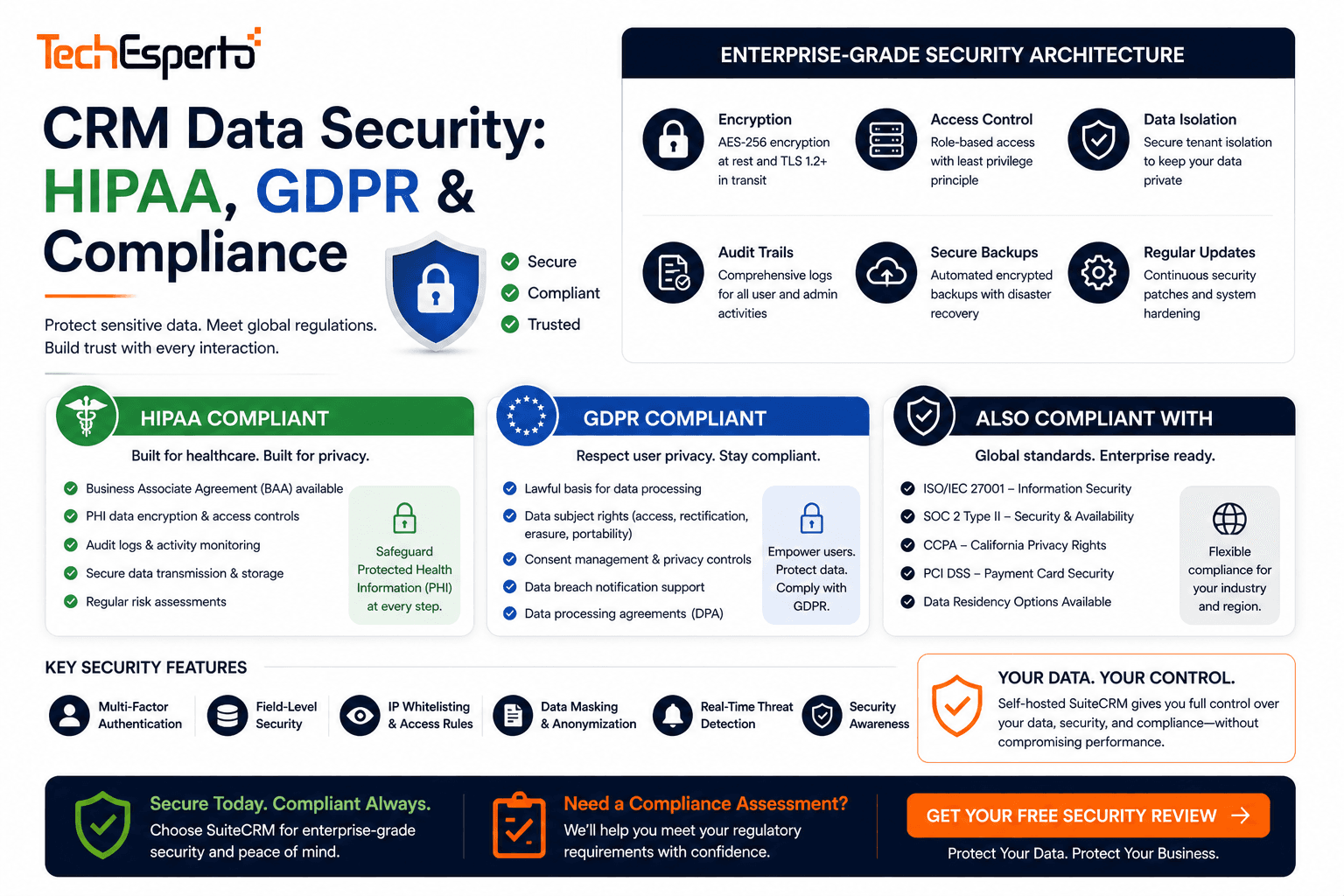
Your CRM stores the most sensitive data in your business — customer names, emails, phone numbers, purchase histories, health records, financial details, and confidential communications. A breach doesn’t just cost fines — it costs trust.
GDPR fines reached €2.1 billion in 2025. HIPAA breach penalties average $1.5 million per incident. And in 2026, AI adds a new dimension: CRM vendors now process your customer data through AI models, raising questions about data usage, training data, and privacy that most terms of service don’t clearly answer.
This guide covers what compliance requires, how CRM architecture affects security, and why self-hosted SuiteCRM with private AI is the strongest compliance foundation available.
CRM Compliance Requirements by Regulation
HIPAA (US Healthcare)
Applies to any CRM handling Protected Health Information (PHI) — patient names, contact details, medical records, appointment data, insurance information, or billing records.
CRM requirements: Encryption at rest (AES-256) and in transit (TLS 1.2+). Role-based access control — clinicians see patient data, billing staff sees financial data, front desk sees scheduling only. Audit trails logging every record access and modification. Business Associate Agreement (BAA) with any vendor touching PHI. Backup and disaster recovery with encrypted offsite storage.
Self-hosted advantage: SuiteCRM on HIPAA-eligible infrastructure (AWS GovCloud, Azure Government) eliminates third-party PHI access. Security Groups enforce minimum-necessary access. SuiteAssured provides security certification. Self-hosted AI processes patient data on YOUR servers — no PHI sent to external AI vendors. Healthcare CRM guide →
GDPR (EU/EEA)
Applies to any CRM processing personal data of EU residents — regardless of where your business is located.
CRM requirements: Lawful basis for processing (consent, contract, legitimate interest). Right to access — provide all stored data upon request. Right to erasure — delete all personal data on request. Data portability — export data in machine-readable format. Breach notification within 72 hours. Data minimization — collect only what’s necessary. Data Protection Impact Assessment for high-risk processing.
Self-hosted advantage: SuiteCRM deployed on EU servers (Hetzner Germany, AWS Ireland) keeps all data in the EU — no third-party subprocessors, no international data transfers. Workflow automation processes DSARs automatically: when a data subject requests access, Logic Hooks generate a data export. Deletion requests trigger cascading record removal across related modules. GDPR glossary →
CCPA / US State Privacy Laws
California (CCPA/CPRA), Virginia (VCDPA), Colorado (CPA), Connecticut (CTDPA) — each requires consumer data access rights, deletion capabilities, and opt-out mechanisms.
Self-hosted advantage: No third-party vendor involvement simplifies compliance. You control all data processing. Workflows automate consumer rights requests.
SOX (US Public Companies)
CRM audit trails for financial data integrity. Every change to Opportunity values, Quote amounts, and Invoice records must be logged with who, what, when.
Self-hosted advantage: SuiteCRM’s audit module tracks all record changes. Security Groups enforce separation of duties. Self-hosted means audit logs can’t be modified by a vendor.
The AI Privacy Problem
In 2026, the biggest CRM security concern isn’t traditional data breaches — it’s AI data processing.
Salesforce Einstein, SugarAI, and HubSpot Breeze process your customer data through their AI models. Key questions most vendors don’t clearly answer: Is your customer data used to train their AI models that benefit ALL customers? Where does AI processing occur geographically? Who has access to data during AI processing? How long is data retained in AI processing pipelines? Does AI processing comply with your industry’s regulations?
For healthcare (HIPAA), legal (privilege), and financial services, these unanswered questions create unacceptable risk.
SuiteCRM + self-hosted AI solves this entirely. TechEsperto’s AI solutions run on YOUR infrastructure. AI models process data locally. No customer data leaves your network. You control every aspect of AI processing — geography, retention, access, and auditability.
Self-Hosted vs Cloud: Security Comparison
| Security Factor | Cloud CRM (Salesforce/HubSpot) | Self-Hosted SuiteCRM |
| Data location | Vendor’s servers (multi-tenant) | Your chosen infrastructure |
| Data access | Vendor staff can access for support | Only your authorized users |
| AI data processing | Vendor’s AI cloud | Your servers only |
| Geographic control | Vendor chooses region | You choose exact location |
| Audit trail ownership | Vendor’s database | Your database |
| Encryption keys | Vendor-managed | You manage your own keys |
| BAA for HIPAA | Available (adds complexity) | You control the entire stack |
| Breach response | Dependent on vendor timeline | You respond immediately |
| Vendor access to data | Yes (for support/maintenance) | No vendor access |
SuiteCRM Security Features
SuiteCRM provides enterprise security capabilities at $0 licensing:
Role-Based Access Control — Roles define what users CAN DO per module (view, edit, delete, export). Security Groups define what users CAN SEE (record visibility by team/department/region).
Audit Trail — Every record change logged: who, when, which field, old value, new value. Essential for HIPAA, SOX, and GDPR accountability.
Encryption — Configure at-rest encryption on database and file system. TLS 1.2+ for all connections. OAuth 2.0 for authentication.
Two-Factor Authentication — Via plugins for additional login security.
SuiteAssured — Enterprise security distribution with code audits, vulnerability testing, LTS support, and compliance certification.
Building a Compliant CRM
Step 1: Choose Self-Hosted Infrastructure
Deploy on compliance-eligible servers: AWS GovCloud for HIPAA. EU-based providers for GDPR. SOC 2 certified providers for financial services. TechEsperto’s managed hosting handles compliant deployment.
Step 2: Configure Access Controls
Build Security Groups matching your organizational structure. Enforce minimum-necessary access. Separate clinical vs administrative vs billing access for healthcare. Separate matter-specific access for legal.
Step 3: Enable Audit Trails
Activate SuiteCRM’s audit module on all sensitive modules. Configure backup retention matching regulatory requirements (HIPAA: 6 years. GDPR: duration of processing purpose).
Step 4: Deploy Self-Hosted AI
Add AI capabilities using models running on your infrastructure — not vendor cloud AI. Lead scoring, deal prediction, and email analysis without external data exposure.
Step 5: Automate Compliance Workflows
Build workflows for data subject access requests, deletion requests, consent management, and breach notification. Logic Hooks enforce data validation and calculated fields compute retention deadlines.
Industry Compliance Resources
Healthcare (HIPAA) → | Legal (Privilege) → | Insurance (Data Protection) → | Accounting (SOX/Client Data) → | Education (FERPA) → | Nonprofits (Donor Privacy) →
Get a Compliance Assessment
TechEsperto evaluates your CRM against your specific regulatory requirements — HIPAA, GDPR, CCPA, SOX, or industry-specific regulations. Free assessment, zero commitment.
Get your free compliance assessment →
FAQs
Q: Is SuiteCRM HIPAA compliant? SuiteCRM provides the technical capabilities (encryption, RBAC, audit trails) for HIPAA compliance. Compliance also requires proper configuration, hosting on HIPAA-eligible infrastructure, BAAs, and organizational policies. TechEsperto handles the technical configuration.
Q: Is cloud CRM ever compliant? Yes — but with added complexity (BAAs, subprocessor agreements, geographic restrictions). Self-hosted is simpler because you eliminate the vendor layer entirely.
Q: Does AI processing create compliance risk? On cloud CRM: potentially yes — data leaves your control for AI processing. On self-hosted SuiteCRM with private AI: no — all processing stays on your infrastructure.
Q: Can TechEsperto help with compliance? Yes. We configure SuiteCRM for compliance requirements across HIPAA, GDPR, CCPA, SOX, and industry-specific regulations.Contact us →
Q: What about SuiteAssured? SuiteAssured adds enterprise security certification — code audits, vulnerability testing, and LTS support. Recommended for government and highly regulated industries.


