
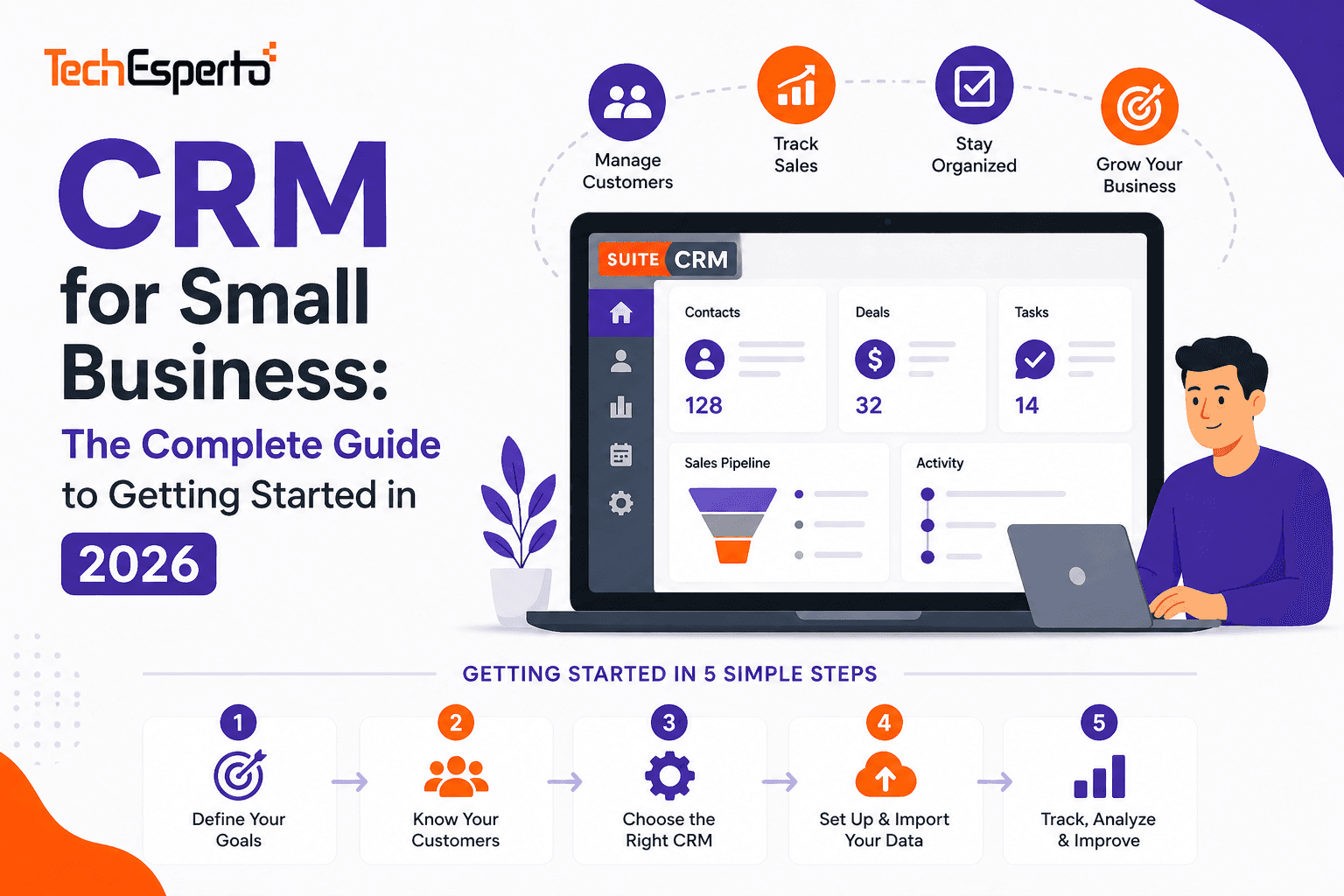
You don’t need 50 employees or a six-figure budget to benefit from CRM. In fact, small businesses — 5 to 50 people — often get the most dramatic results from CRM adoption because they’re replacing chaos (spreadsheets, sticky notes, email folders) with structure for the first time.
But the CRM market is overwhelming. Hundreds of platforms, aggressive marketing, confusing pricing, and feature lists longer than your business plan. Most guides recommend enterprise platforms that cost more than your rent. This guide is different — it’s written specifically for small businesses that need CRM to work without breaking the budget or requiring a full-time admin.
Do You Actually Need a CRM?
If any of these sound familiar, the answer is yes:
You’ve lost a deal because nobody followed up. A prospect emailed three weeks ago, nobody responded, and they bought from your competitor. A customer called and nobody on your team knew their history — so they had to re-explain everything. Your sales “pipeline” is a spreadsheet that’s out of date by the time you update it. When a salesperson left, their client relationships and deal history walked out the door with them. You can’t answer “where did our best customers come from?” because you don’t track lead sources. You’re sending marketing emails from Gmail BCC and have no idea who opened them.
CRM solves all of these by creating one shared system where every contact, every deal, every email, every call, and every task is tracked and accessible to your entire team. Read our CRM readiness assessment for a deeper evaluation.
What Small Businesses Actually Need from CRM
Forget the 200-feature comparison charts. Small businesses need five things:
1. Contact Management That Replaces Spreadsheets
A centralized database of every person and company your business interacts with — customers, prospects, partners, vendors. Each record stores contact details, links to their company, and maintains a timeline of every interaction (calls, emails, meetings, notes). When anyone on your team opens a contact, they see the complete relationship history — not just a name and phone number.
SuiteCRM stores unlimited contacts with unlimited custom fields — add industry-specific data like property type for real estate, vehicle interest for automotive, or travel preferences for tourism.
2. A Sales Pipeline You Can Actually See
Visual pipeline showing every active deal by stage — how much is at each stage, what needs attention, and what’s expected to close this month. No more guessing about revenue. Your pipeline should answer: How much business are we working on? Where are deals getting stuck? What’s going to close this month?
SuiteCRM’s pipeline is fully customizable — define your own stages, probabilities, and workflow automations that trigger reminders when deals stall. Build dashboards showing pipeline value, conversion rates, and rep activity.
3. Follow-Up Automation That Prevents Dropped Leads
The #1 CRM benefit for small businesses: never forgetting to follow up. When a new lead comes in, CRM automatically assigns it to a team member, sends an acknowledgment email, and creates a follow-up task. When a deal sits at “Proposal Sent” for 5 days with no response, CRM alerts the salesperson. When a customer hasn’t been contacted in 90 days, CRM flags the relationship as at-risk.
SuiteCRM’s workflow engine handles all of this — unlimited automations, no per-automation charges, no tier upgrades needed. Unlike Monday CRM which caps automations at 250/month on its Basic plan.
4. Email That’s Connected to Customer Records
Every email to a customer should be logged in their CRM record — not buried in individual inboxes. When a colleague needs to pick up a relationship, they see the full email history. When a customer says “I emailed about this last month,” you find it in seconds.
SuiteCRM connects to Gmail, Outlook, and any email provider via IMAP/SMTP. For Google Workspace teams, calendar sync and contacts sync are built in. Copper CRM offers deeper Gmail embedding but only works with Google — SuiteCRM works with everything.
5. Reports That Tell You What’s Working
Simple, actionable reports: Where are our leads coming from? What’s our conversion rate? Which rep is performing best? What’s our average deal size? These insights should be available without hiring an analyst or exporting to Excel.
SuiteCRM’s reporting engine provides fully custom reports across any module — free. Many SaaS CRMs gate advanced reporting behind expensive tiers.
The Small Business CRM Pricing Trap
CRM vendors market to small businesses with cheap per-user prices that explode as you grow:
The “free tier” trap. HubSpot offers a free CRM — but marketing, sales automation, and custom reporting require paid plans starting at $50/user/month. You start free, build your processes, then face a steep upgrade or migration.
The per-user escalation. $25/user/month sounds fine for 5 people ($125/month). But grow to 20 people and it’s $500/month ($6,000/year). At 50 people, $15,000/year — just for CRM licensing. Every hire increases your software cost.
The feature tier squeeze. The “Basic” plan never has what you need. Workflows, custom reports, security groups, and API access are on the “Professional” or “Enterprise” tiers — 2–3x the advertised price.
The contact cap. Some CRMs charge by contacts stored. Copper caps at 1,000 on Starter. HubSpot’s marketing tools charge by contact count. Your database grows, your bill grows.
The Open Source Alternative
SuiteCRM eliminates all of these traps. $0 licensing — every feature included for every user, unlimited contacts, no tier upgrades, no per-automation caps. Your only costs are hosting ($50–$200/month) and optional implementation support. As your team grows from 5 to 50, your CRM cost stays flat. See our pricing guide and cost savings analysis.
CRM Comparison for Small Business
| Platform | Monthly Cost (10 users) | Good For | Limitation |
| SuiteCRM | ~$100 (hosting only) | Full CRM, any industry | Requires setup effort |
| HubSpot Free | $0 | Getting started | Paid upgrades get expensive |
| Zoho CRM | $140–$400 | Affordable SaaS | Less customizable |
| Pipedrive | $149–$590 | Sales pipeline focus | No marketing or support |
| Freshsales | $90–$390 | AI-powered sales | Limited at scale |
| Copper | $590 (Professional) | Google-only teams | Google-only, contact caps |
| Monday CRM | $170–$280 | Visual, no-code | Automation caps |
Read detailed comparisons: vs HubSpot, vs Zoho, vs Pipedrive, vs Freshsales, vs Copper, vs Monday, vs EspoCRM.
5 CRM Mistakes Small Businesses Make
1. Buying more CRM than you need. Salesforce Enterprise for a 5-person team is like buying a semi-truck for grocery runs. Start with features you’ll actually use. SuiteCRM lets you start simple and expand as you grow — no tier upgrades needed.
2. Not cleaning data before importing. Dumping dirty spreadsheets into a new CRM creates a dirty CRM nobody trusts. Follow our data import guide — clean first, import second.
3. Skipping training. “It’s intuitive, they’ll figure it out” is how CRMs become expensive contact databases nobody uses. Budget for proper training — even 2–3 hours per role makes a massive difference.
4. No executive buy-in. If the owner runs pipeline reviews from a spreadsheet instead of CRM, the team learns CRM is optional. Leadership must use CRM data visibly — every meeting, every review.
5. Choosing based on demo, not workflow. Every CRM looks great in a demo. Evaluate based on YOUR workflows — how will your team actually use it on Day 30, not Day 1?
Industry-Specific CRM for Small Business
Small businesses in specialized industries need CRM that adapts to their workflows — not the other way around. SuiteCRM’s Module Builder creates industry-specific modules at no extra cost:
Small law firms need matter tracking and client confidentiality controls. Small insurance agencies need policy management and renewal reminders. Small construction firms need bid tracking and subcontractor management. Small recruitment agencies need candidate + client + job order pipelines. Small accounting firms need engagement tracking and tax deadline automation. Small travel agencies need traveler profiles and trip booking management. Small dealerships need vehicle inventory and service reminders. Small nonprofits need donor management and grant tracking.
Generic SaaS CRMs charge for “customization add-ons.” SuiteCRM’s customization is free and unlimited.
Getting Started with SuiteCRM
Week 1: Install SuiteCRM on your server (or let a partner handle it). Import your contacts. Configure your sales pipeline stages.
Week 2: Set up email integration. Create basic workflow automations — lead assignment, follow-up reminders, deal stage notifications.
Week 3: Build dashboards for your key metrics. Add custom fields for your industry. Set up security groups if teams need data separation.
Week 4: Train your team with role-based sessions. Go live. Start pipeline reviews using CRM data exclusively.
For faster deployment, TechEsperto handles the entire process — implementation, configuration, data migration, integrations, and training. As the Official SuiteCRM Professional Partner, we’ve helped 150+ businesses get CRM right the first time.
Contact usfor a free small business CRM consultation.


