
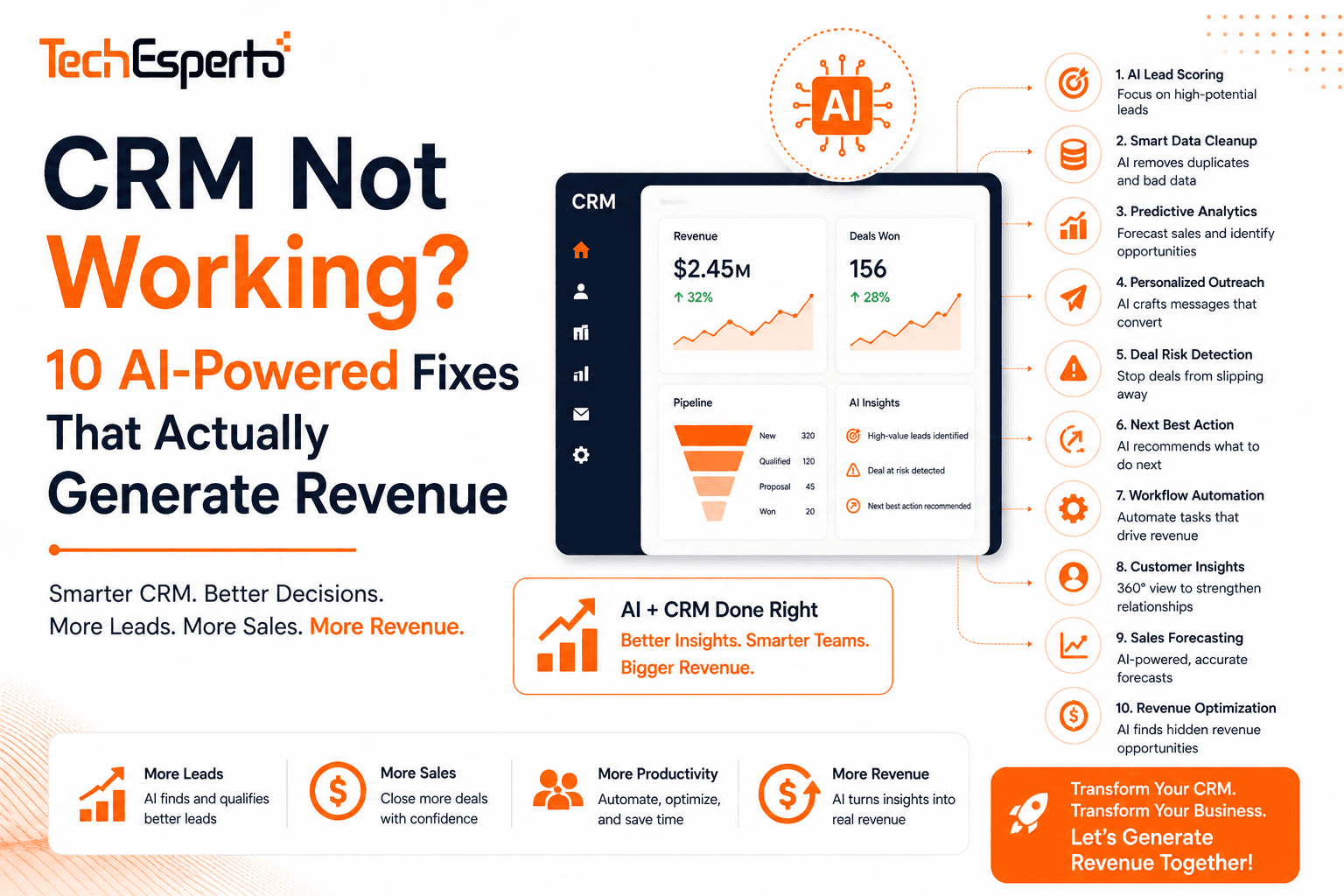
Your CRM was supposed to increase revenue. Instead, it’s become an expensive contact list nobody updates, nobody trusts, and nobody wants to use. Sound familiar?
You’re not alone. Studies show 43% of CRM users utilize less than half their CRM’s features. The problem isn’t the software — it’s the implementation. A misconfigured CRM is worse than no CRM because it creates false confidence in bad data.
Here are 10 fixes — each with an AI upgrade option — that transform a failing CRM into a revenue-generating machine.
Fix #1: Stop Treating CRM as a Contact Database
The symptom: Your team uses CRM to store names and phone numbers. Nobody logs calls. Nobody updates deal stages. Nobody tracks email conversations. CRM is a Rolodex with extra steps.
The fix: Build custom dashboards that make CRM the center of daily work — not a side task. Sales reps should open CRM and immediately see their pipeline value, tasks due today, leads requiring follow-up, and deals at risk. When CRM answers “what should I do right now?”, people use it.
The AI upgrade: AI-powered priority dashboards answer that question better than any static report. AI lead scoring surfaces the highest-probability leads first. Predictive analytics flags at-risk deals. AI suggests the best next action per record. Your CRM goes from passive database to active sales coach.
Revenue impact: Teams using CRM as their primary work tool close 29% more deals than those using it as a data dump.
Fix #2: Clean Your Data (Before It Poisons Every Report)
The symptom: Duplicate contacts everywhere. “Acme” and “ACME Inc.” are separate Accounts with separate deal histories. Phone numbers in 5 formats. Empty required fields. Reports show numbers nobody trusts.
The fix: Run a complete data audit. Merge duplicates using SuiteCRM’s merge function. Standardize formats. Create validation rules in Studio preventing future bad data. Follow our data import guide for proper cleaning methodology.
The AI upgrade: AI deduplication catches fuzzy matches rule-based tools miss. AI data enrichment fills empty fields automatically — a lead enters with just an email, AI pulls company name, size, industry, phone, and LinkedIn from external sources. No manual research required.
Revenue impact: Clean data means accurate reports. Accurate reports mean correct forecasting. Correct forecasting means better hiring, budgeting, and strategy decisions.
Fix #3: Automate Follow-Ups (Zero Leads Forgotten)
The symptom: Leads come in and sit for days without response. Follow-ups get forgotten when reps are busy. Prospects who were interested last week haven’t heard from you since.
The fix: Build workflow automations for every critical follow-up: new lead assigned → immediate acknowledgment email + follow-up task in 24 hours. Deal at “Proposal Sent” for 5 days → reminder task created. No activity on a lead for 7 days → escalation to manager. Customer hasn’t been contacted in 90 days → relationship-at-risk alert.
The AI upgrade: Instead of fixed-interval follow-ups, AI determines the optimal follow-up time per individual contact based on their historical response patterns. Some contacts respond best on Tuesday mornings. Others on Friday afternoons. AI learns this and schedules accordingly via Logic Hooks.
Revenue impact: Speed-to-lead response is the #1 conversion factor. Leads contacted within 5 minutes are 21x more likely to convert than those contacted after 30 minutes.
Fix #4: Simplify the Interface (People Avoid Ugly Tools)
The symptom: Users complain CRM is “clunky,” “confusing,” or “takes too many clicks.” Navigation shows 25 modules. Edit views have 40 fields. The login page looks like default software from 2013.
The fix: Install a modern theme. Hide unused modules (Admin → Display Modules). Simplify layouts to 10–15 essential fields. Brand the login page with your company logo. Read our theme development guide for complete modernization.
The AI upgrade: AI-powered smart search replaces manual navigation. Instead of clicking through modules, users type natural language: “show me leads from last week’s conference” and AI queries SuiteCRM’s REST API to return exactly what they need.
Revenue impact: Every 1% increase in CRM adoption correlates to 1.5% increase in data quality, which compounds into better forecasting and decision-making.
Fix #5: Fix Your Email Integration (The #1 CRM Complaint)
The symptom: Emails don’t sync. Gmail authentication fails. Campaign emails land in spam. Inbound email checking is inconsistent. Reps stop logging emails because it’s unreliable.
The fix: Configure OAuth 2.0 for Gmail/Outlook (password authentication is dead). Set up SPF, DKIM, and DMARC DNS records for email deliverability. Verify your cron job runs every minute for inbound email fetching. Use a dedicated sending service (Amazon SES, SendGrid) for campaigns. Complete guide: SuiteCRM email configuration.
The AI upgrade: AI email assistant transforms email from CRM’s weakest feature to its strongest. AI drafts replies in seconds. Summarizes long threads. Flags negative sentiment for immediate attention. Auto-logs every email interaction without manual effort.
Revenue impact: When email works flawlessly in CRM, reps log 3x more interactions. More logged interactions means better relationship context, fewer dropped balls, and more closed deals.
Fix #6: Build Reports People Actually Use
The symptom: Nobody looks at CRM reports because they don’t answer real questions. The reports that exist show vanity metrics (total contacts, records created this month) instead of actionable insights (conversion rate by source, pipeline velocity, rep performance).
The fix: Build reports and dashboards around the questions your managers actually ask: “Where are leads coming from and which sources convert best?” “What’s our win rate by deal size?” “Which reps are hitting quota?” “Where are deals getting stuck in the pipeline?” Schedule critical reports to email stakeholders weekly.
The AI upgrade: AI proactive insights surface answers before anyone asks. Instead of building a report to find conversion dropped, AI alerts you: “Webinar lead conversion fell 35% this month — 3 leads stalled at Qualification stage due to no follow-up.” AI doesn’t wait for you to ask the right question — it finds the problem and tells you.
Revenue impact: Data-driven sales teams are 33% more likely to achieve quota. Reports that drive action (not just information) are the difference.
Fix #7: Align CRM Stages with Your REAL Sales Process
The symptom: Your pipeline stages don’t match how your team actually sells. The default stages (Prospecting → Qualification → Needs Analysis → Proposal → Negotiation → Closed) sound academic. Your real process is: Inbound Inquiry → Discovery Call → Demo → Proposal → Decision → Won/Lost.
The fix: Customize pipeline stages to mirror your actual process. Add probability percentages that reflect reality (not Salesforce’s generic defaults). Create stage-specific required fields — a deal can’t move to “Proposal” without a dollar value. Build calculated fields for weighted pipeline value.
The AI upgrade: AI predicts close probability per deal based on actual patterns — not generic stage percentages. A deal at “Proposal” stage with high activity and decision-maker engagement might have 70% probability. The same stage with low activity might be 15%. AI knows the difference. Static percentages don’t.
Revenue impact: Accurate pipeline = accurate forecasting = better resource allocation = more revenue.
Fix #8: Integrate CRM with Your Other Tools
The symptom: CRM is an island. Your team enters data in CRM, then enters the same data in the accounting system, then copies it to a spreadsheet for the weekly meeting. Information lives in 5 systems and none of them agree.
The fix: Connect CRM to your core tools: QuickBooks/Xero for invoicing. Google Workspace or Microsoft 365 for email and calendar. Twilio/WhatsApp for SMS. Zapier/Make for connecting everything else. SuiteCRM’s REST API handles custom integrations.
The AI upgrade: AI acts as an intelligent middleware layer — receiving data from multiple sources, normalizing it, enriching it, and routing it to the correct CRM fields automatically. Instead of building 10 separate integrations, one AI pipeline handles all data ingestion.
Revenue impact: Integrated CRM eliminates double entry (saving 5–10 hours/week per team), ensures data consistency, and gives a single source of truth.
Fix #9: Train Your Team (Not Once — Continuously)
The symptom: You trained the team during rollout. Six months later, half the team has forgotten the training and the other half has developed workarounds that bypass CRM entirely. New hires learn CRM from peers who barely use it themselves.
The fix: Implement ongoing training and adoption — not one-time sessions. Quarterly refresher training. New hire CRM onboarding checklist. CRM champions per team who mentor peers. Manager-led pipeline reviews using CRM data exclusively (if the manager uses spreadsheets, the team will too).
The AI upgrade: AI-powered in-CRM guidance. When a user creates a deal without filling key fields, AI prompts: “Deals with budget and decision-maker identified close 3x more often — add these now?” When a user hasn’t logged activity on a deal in 10 days, AI nudges: “This deal has gone silent — call the prospect or mark as lost?” AI becomes the continuous trainer that scales across every user without human effort.
Revenue impact: Organizations with ongoing CRM training achieve 80%+ adoption vs 40% for one-time training. Adoption is the single biggest factor in CRM ROI.
Fix #10: Add AI (The Multiplier for Everything Above)
The symptom: You’ve fixed everything above but still feel like CRM should DO more — predict outcomes, suggest actions, automate tedious tasks, and surface insights you’d never find manually.
The fix: AI integration is the multiplier that makes every other fix 2–3x more effective:
Clean data + AI lead scoring = reps work the right leads first. Working follow-ups + AI optimal timing = follow-ups land when recipients are most responsive. Good reports + AI proactive insights = problems found before you ask. Working email + AI drafting = 10x faster communication. Integrated tools + AI middleware = intelligent data routing. Trained team + AI guidance = continuous coaching at scale.
AI isn’t a separate fix — it’s the amplifier for fixes #1–9.
Revenue impact: Businesses using AI-powered CRM report 50% more leads, 40–60% higher conversion, and 35% faster deal cycles. Read our full guide: AI in CRM: 10x Your Sales Revenue.
Which Fixes Does Your CRM Need?
You probably recognized 3–5 of these symptoms. The question is: do you tackle them yourself, or get expert help?
DIY works for Fix #4 (simplify UI) and Fix #7 (align stages). These are admin-level changes you can do this week.
Professional help needed for Fix #2 (data cleanup at scale), Fix #3 (workflow architecture), Fix #5 (email/server configuration), Fix #8 (integrations), and Fix #10 (AI integration). These require SuiteCRM expertise and development skills.
TechEsperto has fixed every one of these problems across 150+ businesses in healthcare, manufacturing, insurance, construction, recruitment, legal, automotive, education, and nonprofits.
Get a free CRM health check. We’ll audit your current CRM, identify which fixes deliver the biggest revenue impact, and provide a prioritized roadmap with AI recommendations.
Get your free CRM health check →
FAQs
Q: My team hates CRM. Can it be saved? Almost always yes. Teams hate CRM because it’s misconfigured for their workflow — not because CRM itself is bad. Fixes #1, #4, and #9 (dashboards, UI simplification, training) typically flip adoption from 30% to 80%+ within 30 days.
Q: How long does it take to fix a broken CRM? Quick wins (UI, stages, dashboards): 1–2 weeks. Full optimization (data, workflows, integrations, AI): 6–10 weeks. You see improvements from week 1.
Q: Should I fix my current CRM or switch platforms? Fix first — it’s faster and cheaper. If your platform fundamentally doesn’t fit (e.g., Pipedrive with no marketing/support, or Salesforce costing too much), then migrate.
Q: How much does AI integration cost? $5,000–$25,000 one-time for SuiteCRM AI. Most clients start with AI lead scoring ($5,000–$8,000) which pays for itself within 2–3 months through improved conversion.
Q: Can you fix a non-SuiteCRM system? We specialize in SuiteCRM. If you’re on Salesforce, HubSpot, or Zoho and want to fix AND save money, we migrate you to SuiteCRM with all fixes applied during migration.
Q: What’s the ROI of fixing CRM? At minimum: recovered productivity ($50K+/year for a 10-person team). With AI: 40–60% conversion improvement, 15–25% deal recovery, and 2+ hours/day saved per rep. Typical payback: 2–4 months.
Q: Do you offer ongoing support after fixing CRM? Yes. Support packages provide continuous optimization, upgrade management, and AI model maintenance.
Q: What’s the first step?Contact usfor a free CRM health check. We’ll identify the highest-impact fixes for YOUR specific situation.


