
Most buyers pick CRM implementation partners badly. Three or four vendors get on a call, demo their slide decks, quote ballpark numbers, and the buyer picks the one whose pitch felt most polished or whose price came in lowest. Six months later, that decision is the reason a $60,000 project has turned into a $140,000 project that still hasn’t launched.
The partners that fail aren’t usually the ones who sound bad in demos. They’re the ones who skip discovery, treat data migration casually, disappear after go-live, and quote tight timelines they don’t actually believe in. None of that is visible in a 45-minute sales call. It surfaces in specific questions that vendors with weak processes can’t answer well.
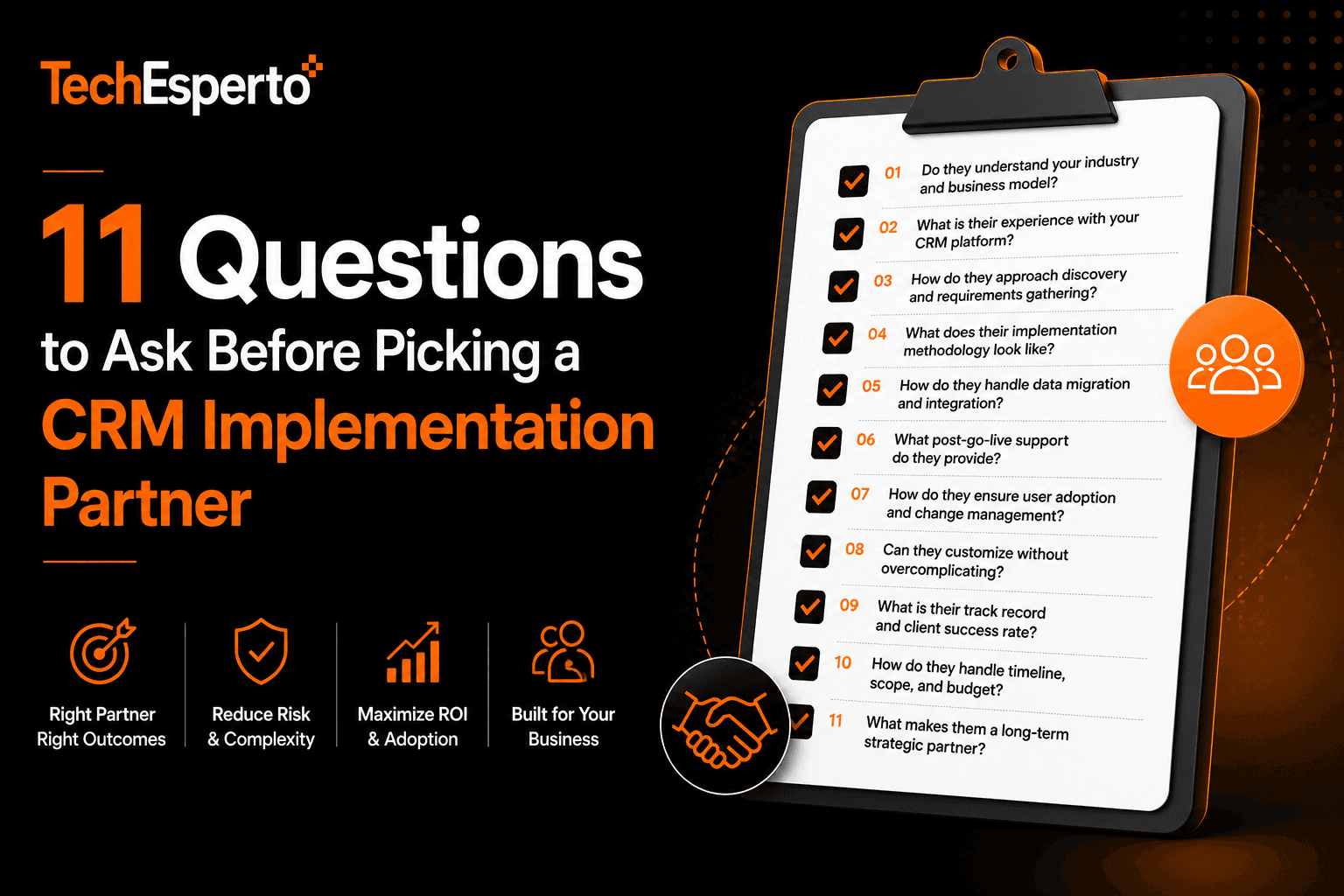
This article walks through 11 questions that consistently surface the difference between a partner who will deliver and a partner who will struggle. Built from the patterns we’ve seen across 150+ deployments and the inherited cleanup work we’ve done on projects other partners couldn’t finish.
Use these in your vendor evaluation calls. The answers are more revealing than any case study a vendor will email you.
The 11 Questions
Question 1: “Walk us through exactly what Phase 1 discovery produces. What specific deliverables come out of it?”
This is the single highest-leverage question. CRM projects that fail almost always failed at discovery — either it was rushed, it was vague, or it didn’t produce written deliverables anyone could reference.
What you want to hear: Specific written outputs. Process maps for top workflows. Field mapping documents. Target-state architecture. Integration scope with explicit in-scope and out-of-scope lists. Compliance requirements documentation if applicable.
Red flag: “We have a discovery phase” with no specific deliverables mentioned. Vendors that treat discovery as a checkbox produce projects that go sideways in execution.
For background on why discovery matters, see our SuiteCRM Implementation service and SuiteCRM Implementation Best Practices guide.
Question 2: “How many test migrations to staging do you run before production cutover?”
Data migration is the highest-risk phase of any CRM project. Test migrations to staging are how you catch problems before they hit production users. Vendors who don’t do them are vendors planning to learn from your data instead of practicing on it.
What you want to hear: Minimum two test passes. Three is better. Each test pass produces a written validation report comparing source and destination record counts, sample field-level accuracy, and relationship integrity.
Red flag: “We do thorough QA” without specifics on test migrations. “We’ll fix issues as they come up post-launch” is a project-killing answer.
See our SuiteCRM Migration service, the SuiteCRM Data Import Guide, and our data migration glossary entry.
Question 3: “Can you give us three references from clients in our industry or with similar deployment scale?”
References are useful, but specific references are essential. A vendor who delivered 50 small business deployments isn’t proof they can handle your 200-user multi-region SOC 2-aligned deployment.
What you want to hear: Three specific names with contact information, ideally from the past 18 months, in your industry vertical or with similar deployment complexity.
Red flag: Vague references (“we’ve worked with healthcare clients”) without specific names. References more than 3 years old. Hesitation when you ask if you can actually contact them.
See our case studies hub for engagement examples across healthcare, SaaS, and FinTech.
Question 4: “What does your post-launch support look like in the first 30 days?”
The first 30 days after go-live determine whether adoption locks in or the deployment fails by month 3. Vendors who rotate to the next project immediately after launch leave clients in the worst possible position.
What you want to hear: Hands-on support availability during week 1. Daily standups with the project team. Active issue triage with same-day responses for blockers. Quick wins shipped during stabilization. Transition to ongoing managed support around day 30, not day 1.
Red flag: “We hand off to support” with no specific stabilization phase scoped. Generic helpdesk handoff happening on Monday after Friday go-live.
See our Managed Support service and SuiteCRM User Training and Adoption guide.
Question 5: “How do you handle our specific compliance requirements?”
For regulated industries (healthcare, financial services, insurance, retail with PCI), compliance isn’t optional. Retrofitting compliance to a deployment costs 3–5x what building it in from Phase 1 costs.
What you want to hear: Specific framework references (HIPAA, SOC 2, PCI, GDPR — whichever apply). Willingness to sign appropriate vendor agreements (BAA for HIPAA, etc.). Specific architectural commitments (encryption posture, audit logging, access controls). Demonstrated track record of compliance-aligned deployments.
Red flag: Vague compliance language. “HIPAA-ready” without offering to sign a BAA. No specific architectural commitments. No compliance-aligned client references.
For compliance context, see our CRM Data Security and Compliance blog, the HIPAA glossary entry, the GDPR glossary entry, and the RBAC glossary entry.
Question 6: “What integrations have you built with our specific other systems?”
CRM-to-ERP integration, CRM-to-EMR integration, CRM-to-lending-platform integration — these are the highest-risk technical work in most CRM projects. Generic integration experience doesn’t transfer. Specific experience with your specific systems matters.
What you want to hear: Specific integration names matching your stack. Description of integration architecture (direct, middleware, ETL). Discussion of error handling and conflict resolution patterns. References to similar integrations.
Red flag: “We can integrate with anything” without specifics on what they’ve actually built. No discussion of integration architecture. No mention of failure handling.
See our SuiteCRM Integration service, the CRM Integration Guide, and the SuiteCRM REST API Guide.
Question 7: “What’s your training approach? Walk us through what training looks like for our different roles.”
CRM training as a 60-minute recorded video that everyone watches once is a recognized failure pattern. Adoption gets locked in (or doesn’t) based on training quality.
What you want to hear: Role-based curriculum (sales rep training is different from sales manager training is different from admin training). Live sessions in small groups. Hands-on exercises mirroring actual daily workflows. Internal champions identified per team. Follow-up Q&A sessions post-launch.
Red flag: Generic training video as the primary deliverable. “Self-service learning portal” without live touchpoints. No role-based differentiation.
See our SuiteCRM Training service and Is Your Business Ready for CRM.
Question 8: “How do you scope and price post-implementation customization?”
CRM deployments evolve. New workflows surface, new integrations become valuable, business processes change. The partner you launch with is the partner you’ll need to support those evolutions for 2–5 years.
What you want to hear: Clear ongoing engagement model (managed support tiers, project-based work, hybrid). Transparent pricing for typical post-launch work. Reasonable change request processes.
Red flag: Aggressive pricing for ongoing customization. Long lock-in contracts. No clear pricing model for change requests.
See our pricing page, engagement models page, and SuiteCRM Customization service.
Question 9: “What if our scope changes during the project?”
Scope rarely stays static. Real businesses discover new requirements during execution. How a partner handles scope changes determines whether the relationship survives the project.
What you want to hear: Reasonable change request process. Clear pricing for in-scope vs. out-of-scope work. Willingness to discuss tradeoffs (descope something to add new thing). Honest conversations rather than rigid contract enforcement.
Red flag: “We don’t change scope” (unrealistic). Aggressive change orders for minor requests. Inability to deliver scope changes without timeline disasters.
For context on how to think about scope, see our Free CRM Audit which provides a structured scoping framework, and the SuiteCRM Implementation Cost Breakdown for 2026.
Question 10: “What does your team structure look like for our project?”
Who actually does the work matters more than who pitches the work. A partner with a senior architect on the demo call and junior developers on actual delivery is a common pattern that produces inconsistent outcomes.
What you want to hear: Specific team members assigned with backgrounds. Project manager, technical lead, developer, QA, support engineer — each named. Reasonable bench depth so a single person leaving doesn’t disrupt the project.
Red flag: Vague answers about “we have a team.” Reluctance to introduce the actual delivery team during evaluation. Single-person dependencies.
See our About Us page and Why TechEsperto for team context.
Question 11: “If we wanted to leave your services in 18 months, what would that look like?”
The best partners answer this honestly. Vendor lock-in is real and matters. Asking the question reveals whether the partner is designing for long-term value or for switching cost.
What you want to hear: Open data formats. Clear documentation. No proprietary lock-in mechanisms. Reasonable offboarding process if it ever became necessary. Confidence rather than defensiveness about the question.
Red flag: Defensive responses. Proprietary code that can’t be handed off. Contract terms that make exit expensive. Unwillingness to discuss the scenario.
This is especially relevant for open-source CRM platforms like SuiteCRM where the choice of platform itself is a vendor-lock-in hedge. See our vendor lock-in glossary entry, open source CRM glossary entry, and SuiteCRM Open Source Benefits for Businesses.
The Pattern Behind Good Answers
If you ask all 11 questions across 3–4 vendors, patterns emerge.
The strong partners answer with specifics. They have written processes for discovery. They have named team members. They have signed BAAs and SOC 2 attestations. They have references from the past year in your industry. They discuss tradeoffs honestly. They give realistic timelines.
The weak partners answer with marketing language. Their “process” exists in someone’s head. Their team is “experienced.” Their compliance is “ready.” Their timeline is whatever you want to hear. They tell you what they think you want, not what’s actually true.
The difference doesn’t show up in a 30-minute sales call. It shows up in 11 specific questions that take 60–90 minutes to walk through with each vendor.
What This Doesn’t Tell You
The 11 questions surface delivery competence. They don’t tell you about cultural fit, communication style, or whether you’ll actually enjoy working with the partner for 18 months. For those, you need direct interaction with the people who will actually deliver — not just the people pitching.
Two practical suggestions:
Ask for a working session. Before signing, request a 90-minute working session with the proposed project lead. Walk through a real problem from your situation. See how they think, ask questions, and propose approaches. This reveals fit in ways no sales call can.
Reference call with the technical lead, not just the sponsor. When you call references, ask to speak with their technical lead or RevOps owner — the person who actually worked with the partner day-to-day. Their experience is more relevant than the executive sponsor’s polished summary.
Special Considerations
A few additional questions worth asking in specific situations.
If you’re evaluating Salesforce alternatives:
Ask about specific Salesforce migration experience — how many migrations, what scale, what timeline. Ask about the Salesforce hidden costs analysis framework they use. Ask whether they offer a Salesforce renewal decision framework for buyers in the 90-day window before renewal. See our Salesforce → SuiteCRM Migration service and the SuiteCRM vs Salesforce comparison.
If you’re considering AI for CRM:
Ask about specific AI capabilities they’ve built into production CRM deployments. Lead scoring, email AI, chatbots, forecasting — which have they delivered, with what outcomes? Ask about provider-agnostic architecture. Ask about realistic AI costs. See the Complete Guide to AI for CRM in 2026, AI CRM Cost analysis, and our AI for SuiteCRM service.
If you’re in a regulated industry:
Healthcare, financial services, insurance, retail with PCI — ask about specific regulatory framework experience and offer them concrete scenarios. “How would you architect KYC workflows for our use case?” reveals much more than “do you support compliance?” See our healthcare CRM guide, FinTech CRM guide, and industry pages for healthcare, FinTech, finance, and insurance.
If you’re a manufacturer with dealer networks:
Ask about CPQ depth, distributor portal experience, and ERP integration with your specific ERP. Manufacturing CRM has specific architectural requirements that generic CRM expertise doesn’t cover. See our manufacturing CRM guide and manufacturing industry page.
If you’re a real estate brokerage:
Ask about MLS integration experience, drip campaign workflow design, and transaction milestone tracking. See our real estate industry page and SuiteCRM for Real Estate guide.
If you’re considering build vs buy:
Ask whether they’re capable of both directions or only sell one. A partner who only does implementations may not honestly evaluate whether you should build custom; a partner who only does custom development may not honestly evaluate whether you should implement SuiteCRM. See our Build vs Buy CRM framework, Custom CRM Development service, and CRM Consulting service.
How many vendors should we evaluate?
3–4 is the sweet spot. Fewer than 3 doesn’t give you real comparison. More than 4 produces evaluation fatigue without proportional benefit. For each, run the 11 questions plus the special considerations relevant to your situation.
Should we always pick the cheapest?
Almost never. CRM implementations are 70% execution and 30% software. Cheap execution produces expensive long-term outcomes — botched migrations, low adoption, ongoing rework. Pick on the answers to the 11 questions; price is the tiebreaker, not the lead criterion.
What about offshore vs. onshore partners?
Geography matters less than process quality. We’ve seen offshore partners deliver excellent outcomes and onshore partners deliver terrible ones, and vice versa. The 11 questions surface the differences that actually matter. Geographic preference is a secondary filter.
For broader context on the multi-region service capability TechEsperto offers, see our pages for India, USA, UAE, Australia, Canada, and Singapore.
How long should vendor evaluation take?
For mid-market deployments: 3–6 weeks from initial outreach to signed contract. Faster than that usually means evaluation was rushed. Longer than that often means scope is unclear.
What if a vendor refuses to answer some of these questions?
That itself is the answer. Vendors with confident processes welcome detailed questions. Vendors who deflect or treat questions as obstacles are revealing how they’ll handle the project. Move on.
What’s the single most predictive question?
Question 1 — the discovery deliverables question. The way a vendor talks about discovery is the strongest predictor of how they’ll execute the rest of the project.
How do I get started?
Book a free 30-minute CRM strategy consultation — we’ll walk through your specific situation, run through whichever of these questions are most relevant, and give you a candid view of where TechEsperto fits and doesn’t. No pitch, no commitment.
For broader context: Ultimate CRM Buying Guide for 2026, Why SuiteCRM Implementations Fail, How to Choose a SuiteCRM Partner, SuiteCRM Implementation Best Practices, 5 Signs You Need a CRM Partner, and our Free CRM Audit.
Frequently Asked Questions
3–4 is the sweet spot. Fewer than 3 doesn’t give you real comparison. More than 4 produces evaluation fatigue without proportional benefit. For each, run the 11 questions plus the special considerations relevant to your situation.
Almost never. CRM implementations are 70% execution and 30% software. Cheap execution produces expensive long-term outcomes — botched migrations, low adoption, ongoing rework. Pick on the answers to the 11 questions; price is the tiebreaker, not the lead criterion.
Geography matters less than process quality. We’ve seen offshore partners deliver excellent outcomes and onshore partners deliver terrible ones, and vice versa. The 11 questions surface the differences that actually matter. Geographic preference is a secondary filter.
For broader context on the multi-region service capability TechEsperto offers, see our pages for India, USA, UAE, Australia, Canada, and Singapore.
For mid-market deployments: 3–6 weeks from initial outreach to signed contract. Faster than that usually means evaluation was rushed. Longer than that often means scope is unclear.
That itself is the answer. Vendors with confident processes welcome detailed questions. Vendors who deflect or treat questions as obstacles are revealing how they’ll handle the project. Move on.
Question 1 — the discovery deliverables question. The way a vendor talks about discovery is the strongest predictor of how they’ll execute the rest of the project.
Book a free 30-minute CRM strategy consultation — we’ll walk through your specific situation, run through whichever of these questions are most relevant, and give you a candid view of where TechEsperto fits and doesn’t. No pitch, no commitment.
For broader context: Ultimate CRM Buying Guide for 2026, Why SuiteCRM Implementations Fail, How to Choose a SuiteCRM Partner, SuiteCRM Implementation Best Practices, 5 Signs You Need a CRM Partner, and our Free CRM Audit.


